CapCut Alternatives (2026): Free Apps Like CapCut for Phone and PC
November 3, 2026 · Eben - AskEditor · 14 min read
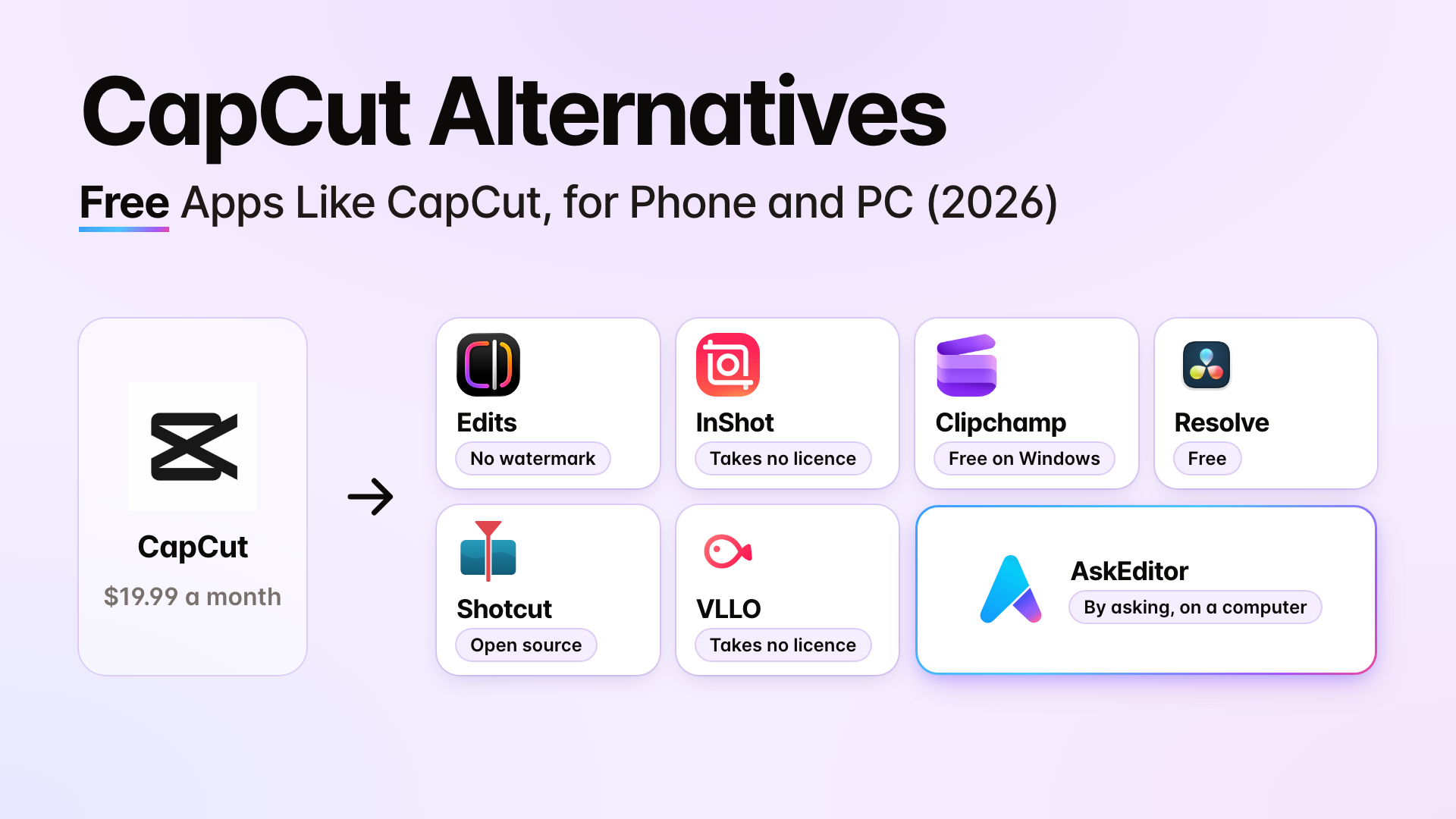
The best CapCut alternative for your phone, a Windows PC, or iPhone and Mac, with each one's catch, price and terms, checked on their own pages.
Table of contents
The best CapCut alternative depends on where you edit and why you're leaving. Here are the picks, each with its catch. Every price and clause is from the company's own pages, checked on 30 October 2026.
- Filming yourself on a phone: Instagram Edits is free, exports in 4K with no watermark, and captions for free. The catch: it needs an Instagram account, and Meta takes a licence to what you share or post. InShot takes no licence at all; its free version adds the InShot logo, and Pro removes it for $19.99 a year.
- On a Windows PC: Clipchamp if you want easy: free 1080p, no watermark, free captions, and it runs on an 8 GB laptop. DaVinci Resolve if you want power and your computer has 16 GB of memory; its auto captions are in the paid Studio. AskEditor if you'd rather ask in plain words than learn an editor.
- On iPhone and Mac: nothing free gives captions on both with terms that take no licence. The closest is InShot on the iPhone and Shotcut on the Mac. iMovie is free on both but has no auto captions; VN has captions on both but the broadest terms we found.
- Leaving over the terms: InShot, VLLO, OpenCut and the programs on your own computer take no licence to your videos.
We make AskEditor, one of these. Its terms sit with everyone else's below. To find out what you'd ask, we read the 1,347 top comments under the 10 biggest YouTube videos about CapCut alternatives.
Start here: which pick is yours
- I film and edit on my phone Edits or InShot, and the catch of each.
- I edit on a Windows PC Easy, powerful or by asking, and what each one charges for.
- I edit on a Mac, and shoot on an iPhone What works on both, and what doesn't.
- I'm leaving over the terms Which apps take a licence to your videos, quoted and dated.
Best CapCut alternative on a phone
Instagram Edits is the closest free match for talking videos; InShot is the one that takes no licence.
| App | What you get, the catch, and its terms |
|---|---|
| Instagram Edits | Free, 4K, no watermark, free captions, templates from Reels. iPhone and Android; needs an Instagram account. Meta takes a licence when you share, post or upload |
| InShot | Free with the InShot logo; Pro $19.99 a year or $49.99 once. Captions, no video templates. Takes no licence; cloud uploads deleted after processing |
| VN | Free, no watermark, free captions made on your device, over 150 templates. The broadest terms we found: a perpetual right to copy and sell what you submit |
| VLLO | Free, no watermark; Premium $19.99 a year or $59.99 once. Takes no licence |
| Premiere (phone app) | Free, no watermark, free captions. A licence to cloud files only |
| iMovie | Free on iPhone, no auto captions. A program on your phone |
InShot's and VLLO's pages don't say whether their captions are free. By November 2026 Clipchamp's iPhone app had gone: Microsoft retired its help page, and the US App Store no longer listed it.
Filming yourself talking on an iPhone? Edits gets you captions in 4K for nothing. If you'd rather no app took a licence to your videos, InShot, with $19.99 a year to lose its logo.
- Will Edits charge later? Meta calls it a free video editor. Its App Store listing carries an "In-App Purchases" label but lists none.
- Coming from CapCut: your projects don't move, but your videos and captions can. See Moving from CapCut.
Each app's own page: Edits, InShot, VN, VLLO, Premiere, iMovie.
Best on a Windows PC
Clipchamp if you want easy, DaVinci Resolve if you'll learn it on a strong computer, AskEditor if you'd rather ask than learn. The comments' biggest gap was a free editor as easy as CapCut on an ordinary laptop.
| Editor | Best for, and what you pay for | On an 8 GB laptop? |
|---|---|---|
| Clipchamp | Easy. Free 1080p, no watermark, free captions, free templates. Premium (4K, a brand kit, premium stock and templates) comes with Microsoft 365 Personal, $99.99 a year | Yes |
| VN | An early Windows app (version 0.5.2 on 30 October 2026), free, with captions and templates; its terms are the broadest we found | Not stated |
| DaVinci Resolve | Power. Free, no watermark; auto captions only in Studio, $295 once | No: it asks for 16 GB and a 4 GB graphics chip |
| Shotcut | Free and open source, with free captions | Yes, for HD |
| Kdenlive | Free and open source; captions after a setup step | Yes, for HD |
| Filmora | Templates. Free exports carry a watermark; $49.99 a year or $79.99 once; captions use paid credits | Not stated |
| AskEditor | You ask in plain words. Free 1080p, no watermark, 30 free minutes of captions a month; generated footage costs credits | Yes, in a browser |
| Canva | Templates, in a browser. Free; a watermark only on paid elements; Pro $144 a year | Yes, in a browser |
| OpenCut | Free, open source, in a browser (a beta, being rewritten from the ground up on 3 November 2026); nothing is uploaded | Yes, in a browser |
DaVinci is every video's answer, and the comments say why it doesn't suit everyone: too hard, and too heavy for their laptop. Blackmagic's own requirements for the free version are 16 GB of memory and a graphics chip with 4 GB on Windows; on a Mac, Apple silicon with 8 GB (16 GB with Fusion).
As of November 2026 its paid Studio also sells "AI Assistants", so an AI assistant can work inside it too.
AskEditor works differently: you say what you want, and the edit happens on a timeline you can still change by hand. It runs in a browser on your computer, or beside the chat in Claude or ChatGPT. Here is a faceless explainer it made from a 22 second voice recording, in three plain sentences:
- "Turn this recording into a 16:9 explainer with no face on screen, only graphics."
- "Keep the clearest 20 to 30 seconds."
- "Make the graphics look expensive: kinetic titles on the key words, an animated chart, and a list that builds as I talk."
The catch: it's not a phone app, and anything generated (clips, voices, cutting you out of the picture) uses credits.
The Free plan has no credits. Your first purchase can be 1,000 credits for $4.99, offered once, and Creator brings 1,200 a month for $12 billed yearly.
We made the film on a paid test account, but nothing in it needs one: drawn graphics over your own voice cost no credits on any plan, and timing them to your words uses the free caption minutes (8 minutes of voice is 8 of Free's 30 a month).
AskEditor's voice reading an 8 minute script would be about 320 credits: roughly $5 at Creator's $20 monthly price, or $3.20 billed yearly.
Each editor's own page: Clipchamp, DaVinci Resolve, Shotcut, Kdenlive, Filmora, AskEditor, Canva, OpenCut.
On iPhone and Mac
Nothing free gives you captions on both an iPhone and a Mac with terms that take no licence. The closest: InShot on the iPhone and Shotcut on the Mac.
- iMovie: iPhone, iPad and Mac, free. No auto captions. A program on your devices.
- InShot + Shotcut: InShot on the iPhone (captions, takes no licence) and Shotcut on the Mac (free, open source, free captions, a program on your computer). Of the commenters who named Shotcut, 34 recommend it and 6 dropped it, mostly as harder than CapCut.
- VN: iPhone, Android, Mac and Windows, free captions and templates. The broadest terms we found.
- Final Cut Pro: Mac and iPad (not iPhone), $299.99 once or $129 a year in Apple Creator Studio, 30 day trial. Automatic captions. A program on your Mac.
- DaVinci Resolve: on a Mac with Apple silicon, and on iPad. Captions only in Studio.
- Canva: in a browser on the Mac and in its phone apps. A licence to run the service.
- AskEditor: in a browser on the Mac, and inside Claude (its free plan included) or ChatGPT; free 1080p and 30 free minutes of captions a month; not on a phone.
Without CapCut's sync between phone and computer, move your clips from the iPhone to the Mac with AirDrop or iCloud Photos.
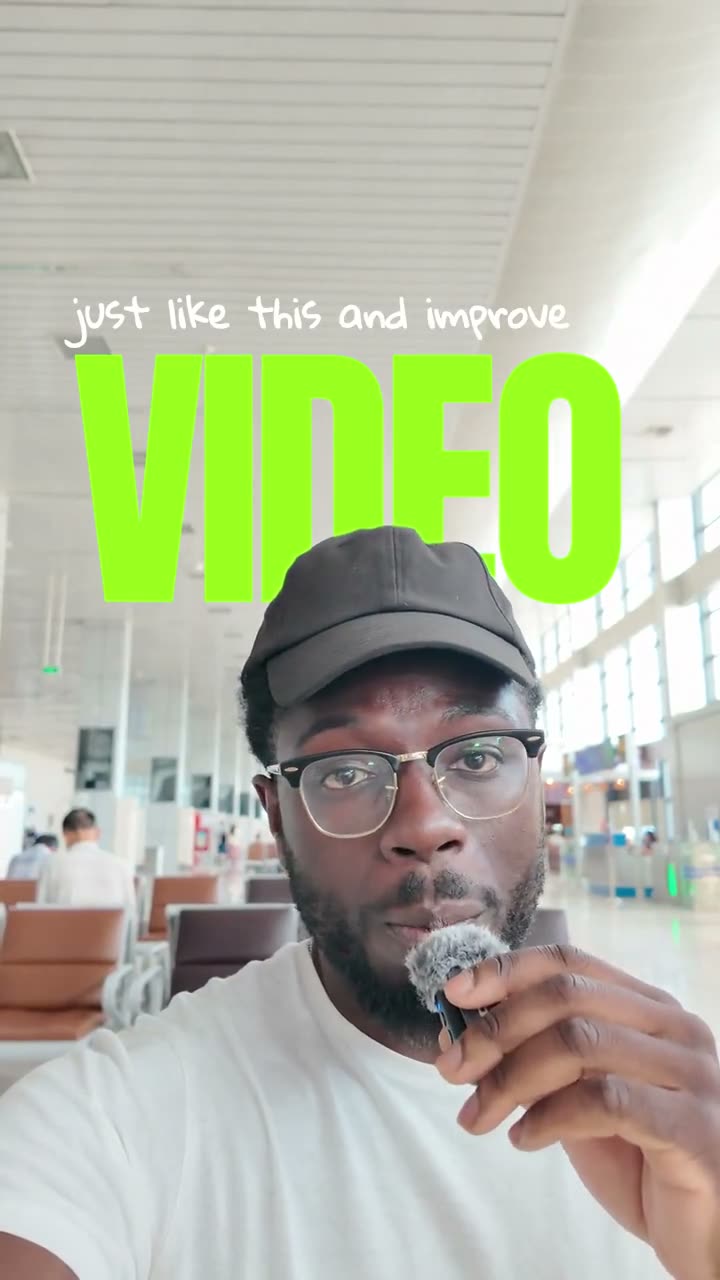
The vertical looks CapCut users ask for most exist outside CapCut too. This one was made in AskEditor on my own footage:
Whose terms take your videos
CapCut's and VN's terms take a perpetual licence to what you submit; InShot, VLLO, OpenCut and programs on your own computer take none.
Came from Kevin Kolbe's video? He read the June 2025 terms. The version in force on 3 November 2026 is dated 15 April 2026, and it still takes a perpetual licence.
CapCut's terms, last updated 15 April 2026, open with "We don't own your User Content". Then:
- Outside the US: you grant "a non-exclusive, royalty-free, transferable, sub-licensable, perpetual and worldwide license".
- In the US (the US terms as read on 30 October 2026): perpetual, and also "unconditional" and "fully transferable", to TikTok USDS Joint Venture and its partners.
- What changed in April 2026 (US): the word "irrevocable" and a sentence about uploading your content to CapCut's server were dropped.
- What they don't say: whether a video you edit on your own device and never upload is covered.
- Training: CapCut's privacy policy lists your content among what it uses "to train and improve our technology".
| What the terms take | Apps |
|---|---|
| A perpetual licence | CapCut; VN (whose terms also let it sell and advertise with what you submit) |
| A licence to run, and improve, the service | AskEditor, Canva, Clipchamp (Microsoft), Filmora (to run the service only), Instagram Edits (Meta, when you share, post or upload), Premiere (cloud files only) |
| No licence found | InShot, VLLO, OpenCut |
| Never see your video | DaVinci Resolve, Shotcut, Kdenlive, iMovie, Final Cut Pro |
Ours, said the same way: AskEditor's terms (17 October 2026) take a non-exclusive, worldwide, royalty-free, sublicensable, transferable licence to what you upload, to provide and improve the service. It isn't perpetual or irrevocable, though our terms don't say when it ends; you can ask us to delete your account at any time.
Our privacy policy says we don't use your uploads to train our own AI models. On a computer, your files stay in your browser until a tool needs them, such as captions.
Leaving over the terms? Export the videos you'll want again before you cancel Pro: Moving from CapCut says what comes with you.
On training: Adobe and Filmora say they don't train AI on your content, AskEditor says it doesn't train its own models on your uploads, and Canva does only if your privacy settings allow it.
What a year costs
Most cost less than CapCut Pro's $179.99 a year. Premiere costs more, and five sell a licence you pay for once.
| Editor | A year | Or once |
|---|---|---|
| Premiere | About $276 ($22.99 a month, yearly plan) | Not sold |
| CapCut Pro | $179.99 | Not sold |
| AskEditor Creator | $144 | Not sold |
| Canva Pro | $144 | Not sold |
| Final Cut Pro | $129 (Apple Creator Studio) | $299.99 |
| Clipchamp Premium | $99.99 (Microsoft 365 Personal) | Not sold |
| VN Pro | $69.99 (how often isn't stated) | Not stated |
| Filmora | $49.99 | $79.99 |
| InShot Pro | $19.99 | $49.99 |
| VLLO Premium | $19.99 | $59.99 |
| DaVinci Resolve Studio | Not sold | $295 ($236 on sale, 3 November 2026) |
Free with no watermark: AskEditor Free, DaVinci Resolve, Shotcut, Kdenlive, iMovie, Clipchamp, Instagram Edits, OpenCut, VN and VLLO. Prices for a US visitor on 30 October 2026, checked again on 3 November 2026: Resolve Studio was on sale at $236 (from $295) with no end date given, and Filmora had a 10% offer with no date.
What CapCut's own pricing page lists for a US visitor (28 October 2026):
| Plan | Price | What CapCut lists |
|---|---|---|
| Free | $0 | Free templates and basic editing tools |
| Pro | $19.99 a month or $179.99 a year | All premium templates and Pro features, 1,200 AI credits a month |
| Ultra | $79 a month or $900 a year | CapCut's top plan |
The pricing page doesn't say which exports, captions or watermark rules apply to Free, and CapCut's own help pages disagree with each other about the watermark. On 3 November 2026 the US App Store sold a $9.99 Standard subscription.
What commenters say went behind Pro: importing their own music, 1080p export, auto captions, background removal and noise reduction. That's their word, not CapCut's.
The ban: CapCut announced it was back in the US on 14 February 2025, after the US ban. Its US terms since January 2026 name TikTok USDS Joint Venture LLC as the company running it.
Moving from CapCut
Your projects can't come with you: CapCut doesn't export project files, and no other editor opens them. CapCut's own help says it doesn't import or export projects with other editing software.
| From CapCut | Comes with you? |
|---|---|
| Your finished videos | Yes, exported as MP4 |
| Your original clips | Yes, to rebuild anything you want to change |
| Your captions | Yes, as an SRT file; Shotcut and Kdenlive import it (the phone apps' pages don't say) |
| Projects, templates and effects | No |
Templates and effects stay in CapCut. Export the videos you'll want again before you cancel Pro.
Where these answers come from
We read Google's page for "capcut alternative", the 10 biggest YouTube videos about CapCut alternatives, their 1,347 top comments, and every company's own pages, on 30 October 2026. What stood out:
- The price came first on nine of the ten videos. The terms led only under one video that reads them aloud.
- People edit on their phones but get stuck on a computer: DaVinci too hard or too heavy, InShot with no desktop app, Final Cut only on a Mac.
- The lists people comment on are from 2024 and 2025. Prices, Pro features, the ban and the terms have all moved since.
- Six of the ten videos carry a sponsor or an affiliate link, one of them CapCut's own affiliate programme.

The chart leaves out one video, Kevin Kolbe's reading of CapCut's terms. It holds 400 of the 1,347 comments, 206 of them about the terms, and with it in, the terms would drown out everything else.
Worth watching, and what each is best for:
| Video | Best for |
|---|---|
| Kevin Kolbe, "Before you use CapCut, watch this!" | CapCut's June 2025 terms, read aloud |
| finzar, "I Edited The Same Video on Every FREE Software" | One video made in every free desktop editor |
| Modern Millie, "Which CapCut alternatives are ACTUALLY worth it?" | Ten phone apps scored (her description links CapCut's affiliate programme) |
| Collin Michael, "CapCut VS InShot VS VN" | The free phone apps side by side |
Frequently Asked Questions
What apps are like CapCut? On a phone: Instagram Edits, InShot, VN and VLLO. On a computer: Clipchamp, DaVinci Resolve, Shotcut, Kdenlive, Filmora and AskEditor. On iPhone and Mac together: iMovie, or InShot with Shotcut.
Is there a free app like CapCut with templates? Yes. Instagram Edits has templates made from Reels, VN lists over 150 free templates, and Canva's templates are free in its free plan, with paid elements marked.
Is CapCut still free? As of November 2026 there is a free plan, with free templates and basic editing tools. Pro costs $19.99 a month or $179.99 a year, and CapCut's pricing page doesn't say which exports or captions need it.
Is CapCut banned in the US? No, as of November 2026. CapCut announced it was back in the US on 14 February 2025, after the ban. Its US terms since January 2026 name TikTok USDS Joint Venture as the company running it.
Does CapCut own my videos? No. Its terms say it doesn't own your content, but they take a perpetual, sublicensable licence to what you submit, and its privacy policy says your content helps train its technology.
What's the best free CapCut alternative for PC? Clipchamp if you want easy: free 1080p with no watermark and free captions, on an ordinary laptop. DaVinci Resolve if you want power and your computer has 16 GB of memory.
What's the best CapCut alternative for iPhone? Instagram Edits for free captions in 4K with no watermark. InShot if you'd rather no app took a licence to your videos.
Does DaVinci Resolve have auto captions? Only in the paid Studio version, $295 once ($236 on sale on 3 November 2026). The free version has none.
Can I move my CapCut projects to another editor? No. CapCut doesn't export project files. Take your finished videos, your original clips and your captions as an SRT file.
Does the editor's licence matter if I post to TikTok or Instagram anyway? Posting gives the platform its own licence to what you post. An editor's licence can also reach what you upload to it and never post. Whether CapCut's reaches a video you only edit on your device, its terms don't say.
Which CapCut alternative has the cleanest terms? InShot, VLLO and OpenCut take no licence to your videos, and programs that run on your own computer, such as DaVinci Resolve, Shotcut and iMovie, never see them.
Eben - AskEditor
Guides on making marketing video with AI, from the team building AskEditor.
Related posts
Video Editing
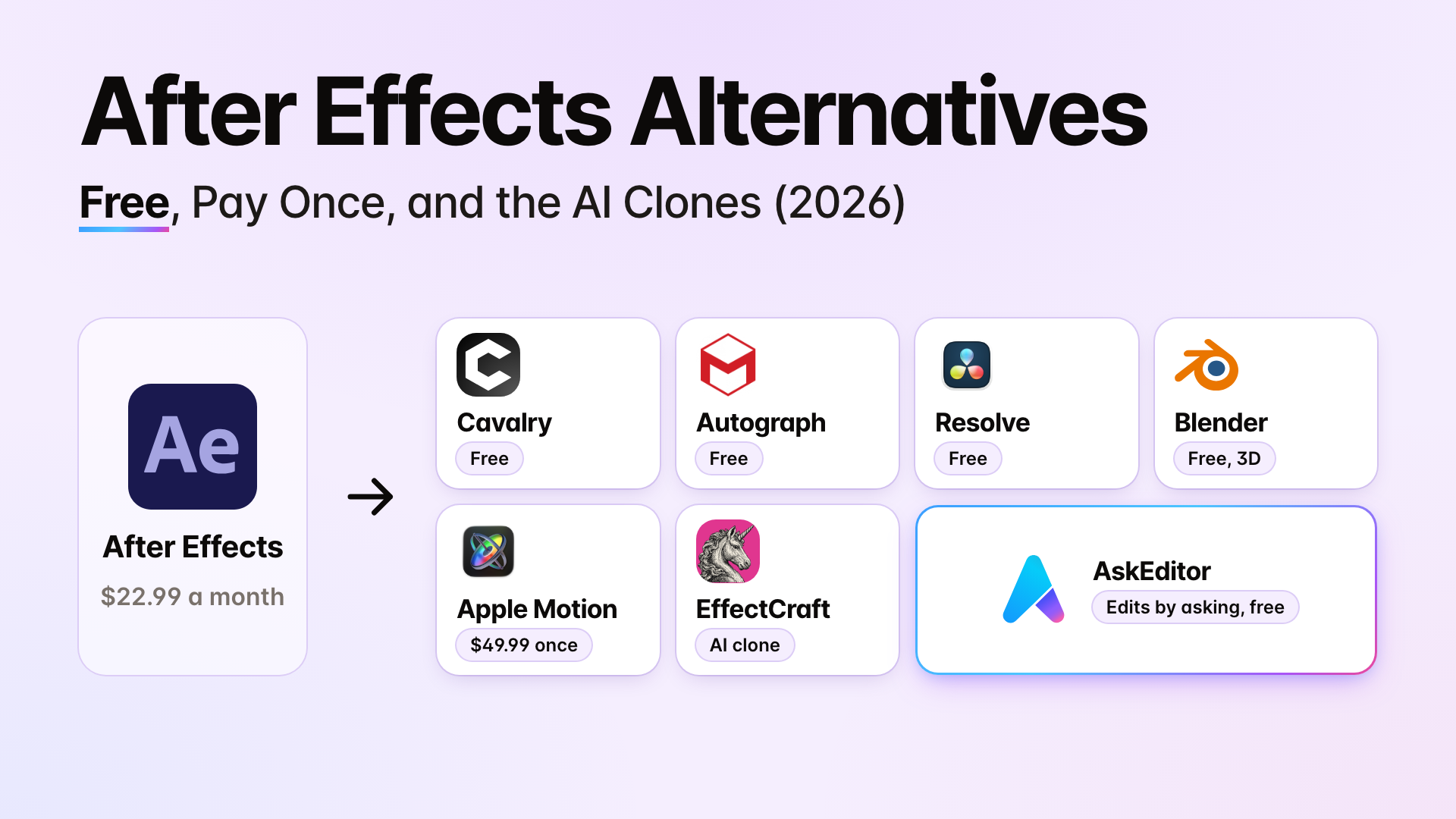
After Effects Alternatives (2026): Free, Pay Once, and the AI Clones
November 3, 2026 · 13 min read
Video Editing
Can ChatGPT Make Videos? Yes, With a Plugin. Here's How
November 2, 2026 · 15 min read
Video Editing
Claude and CapCut: What Works, What It Costs, and the Free Way
October 30, 2026 · 22 min read