Free AI Background Remover
Drop a photo, AI render, or product still and watch the background disappear. Sharp on hair and fur edges, transparent PNG out, no watermark, no install. Free to try.
- 100% free to try
- No watermark on your download
- No signup to upload
- Transparent PNG output
How to remove a background in 3 steps
- Step 01
Drop your image
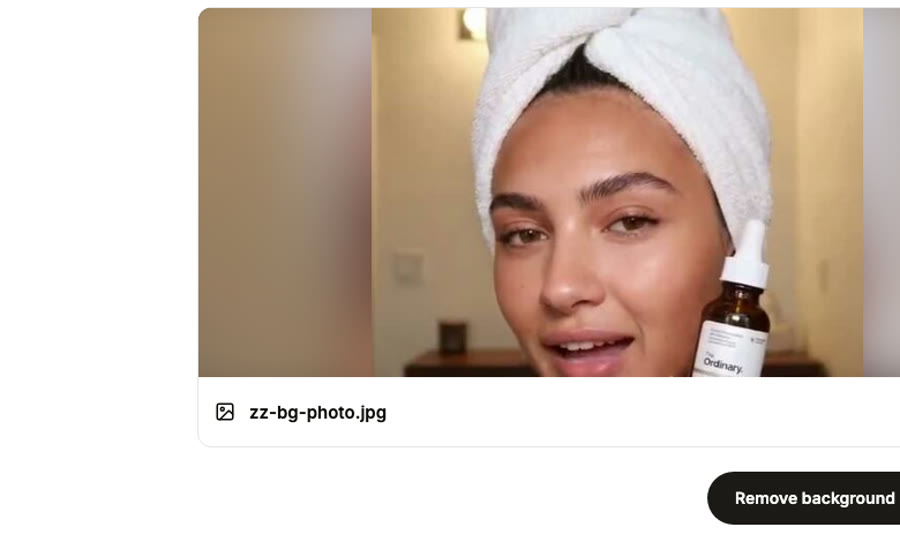
JPG, PNG, or WebP up to 10MB. Phone photos work, AI renders work, scanned product shots work. Anything with a clear subject foreground.
- Step 02
AI cuts the background
Our model traces the subject edge, separates it from whatever is behind, and cleans up the half-pixel transitions on hair, fur, glass, and other notoriously fiddly edges. Most images finish in 4 or 5 seconds.
- Step 03
Compare and download
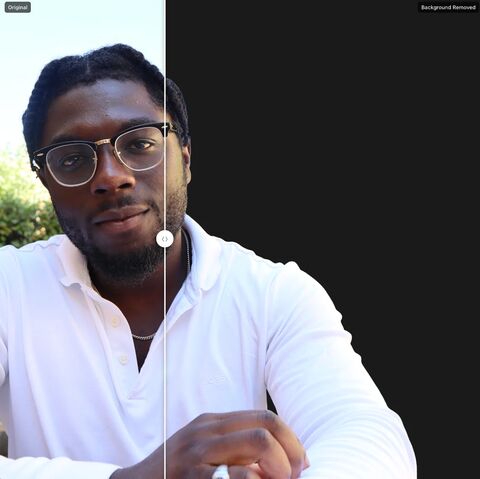
Drag the before/after slider over a checkered backdrop to confirm the cutout is clean. Hit download and a transparent PNG lands on your machine. No watermark, ready to drop into a listing or comp.
Edges that hold up under zoom
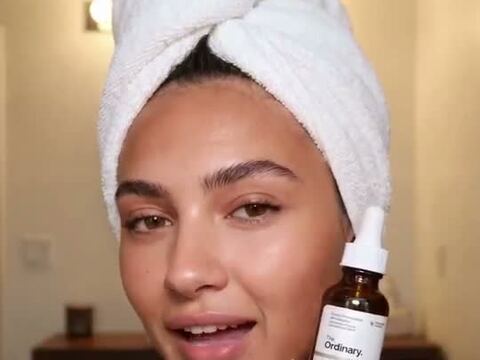
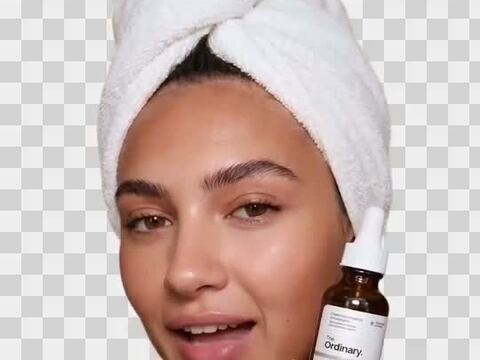
Most free background removers leave a halo on hair and crunch the soft edges of fur or glass. We picked the model that handles those cases without manual touch-up.
 The photo
 The cutout · transparent PNG
Hair, fur, and translucent edges
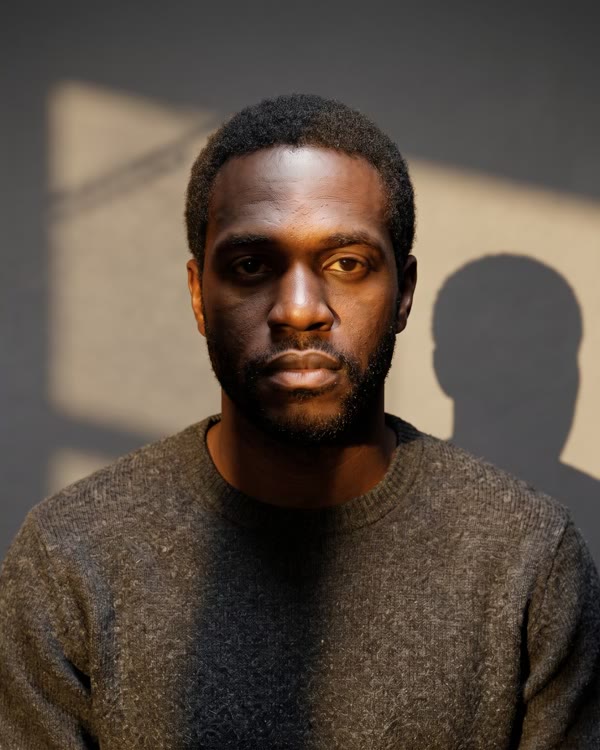
The hard cases for any cutout tool. Our model preserves stray hair tips, soft fur outlines, and the ghosted edges of glass or perfume bottles instead of binarizing them away.
Transparent PNG or alpha mask
Pick the output that fits the workflow. RGBA gives you a finished cutout you can drop on any background. Alpha mask gives you a black-and-white silhouette for designers who want to composite it themselves.
Works on the messy stuff
Cluttered backdrops, low-contrast subjects, AI-generated scenes that confuse other tools. The model was trained on the kind of in-the-wild imagery that actually shows up in support tickets, not just clean studio crops.
Private by default
Your image is encrypted in transit, processed in isolated cloud workers, and auto-deleted after 30 days. We do not use your uploads to train models. We do not share them with anyone.
BeforeAfterDone in seconds
Typical run is 4 to 6 seconds end to end. There's no queue. The spinner you see is the model actually working.
Compare side by side
Built-in slider drags a divider across the result on a checkered backdrop so you can verify the cutout before you ship it. The checker pattern makes transparency obvious instead of hiding behind white.
Who reaches for an AI background remover
From ecommerce teams cleaning up supplier photos to creators making sticker packs.
Ecommerce and product
Supplier sends a product photo with a cluttered backdrop. You need it on white (or transparent) for the listing. Drop it in, get a clean PNG, paste it onto whatever background the platform wants. Works well on Etsy, Shopify, Amazon, eBay listings.
Designers and creators
Cutting subjects out of stock photos, isolating illustrations from their backdrop for compositing, building sticker packs, prepping assets for print on demand. The transparent PNG drops straight into Figma, Photoshop, Procreate, or Canva without a touch-up pass.
Marketing and social
Real estate listing photos with empty interiors, profile pictures with distracting backdrops, ad creative that needs the subject on a brand-color background. Quicker than firing up Photoshop for what should be a 5-second job.
Frequently Asked Questions
How do I remove the background from an image?
Drop the file onto the upload area or click to browse. The AI traces the subject and separates it from the backdrop. Most uploads finish in 4 or 5 seconds. You can sweep the before/after slider to confirm the cutout is clean before downloading. The output is a transparent PNG ready to drop into any design tool.
Is the AI background remover really free?
Free to upload, free to compare results. Saving the high-resolution transparent PNG to your AskEditor library requires a free account, and the free tier covers casual use comfortably. No card up front.
Does it handle hair and fur cleanly?
These are the hard cases for any background removal tool, and they're where most free tools fail. We picked the model specifically because it preserves stray hair tips and soft fur outlines instead of crunching them into a hard edge. Pet photos, portraits, and fluffy products come out usable.
What output formats can I download?
Transparent PNG (RGBA) is the default. You can also request an alpha mask, which is a black-and-white silhouette. Designers who want to do their own compositing in Photoshop or Figma usually pick the alpha mask. Everyone else picks the transparent PNG.
Will the output have a watermark?
No watermark, no signature, nothing. The PNG you download is exactly what the model produced. Use it commercially, sell the resulting product photo, print it on merch, license it to a client. No strings.
What image formats and sizes can I upload?
JPG, PNG, and WebP up to 10MB. That covers basically every web export and phone photo. Output is always a PNG so the alpha channel is preserved (JPG can't carry transparency).
Does it work on AI-generated images?
Yes, and they're often the cleanest input the tool sees. Midjourney, Stable Diffusion, DALL-E, and Flux outputs tend to have well-defined subjects against discernible backgrounds, so the cutout lands clean. We've found this is one of the most common use cases now: AI artist generates a character, removes the backdrop, and composites it into the actual scene.
How fast is it?
Typical run is 4 to 6 seconds. Larger files near the 10MB ceiling can stretch to about 10 seconds when traffic is high. There isn't a queue, so the wait you see is real model time, not someone else's job ahead of you.
Is my image private and secure?
All traffic is HTTPS, files run on cloud workers scoped to your account, and uploads expire after 30 days. We don't feed them into training data and we don't pass them to third-party services. Delete your account at any point and the remaining files leave with it.
How does this compare to remove.bg, Photoroom, or Canva's background remover?
Each tool fits a different shape of user. Remove.bg's API is excellent for batch automation if you ship at scale. Photoroom is the strongest mobile-first option with built-in background editing. Canva bundles theirs into an existing design workflow. AskEditor's pitch is the same as on our other tools: browser-based, per-credit pricing instead of subscription, and the cutout drops straight into our timeline editor and Studio for follow-on work without bouncing between four apps.
Can I use the output commercially?
Whatever rights you held on the original, you keep on the cutout. AskEditor doesn't claim rights to input or output. Sell the resulting product image, license it, print it. The one ask is you stay inside our content guidelines (no CSAM, no non-consensual deepfakes, no copyrighted material without a license).
Related tools
Try the AI background remover, free
Drop a photo and have a clean transparent PNG in 5 seconds. Sign in to save the high-resolution result.