Can ChatGPT Make Videos? Yes, With a Plugin. Here's How
November 2, 2026 · Eben - AskEditor · 15 min read
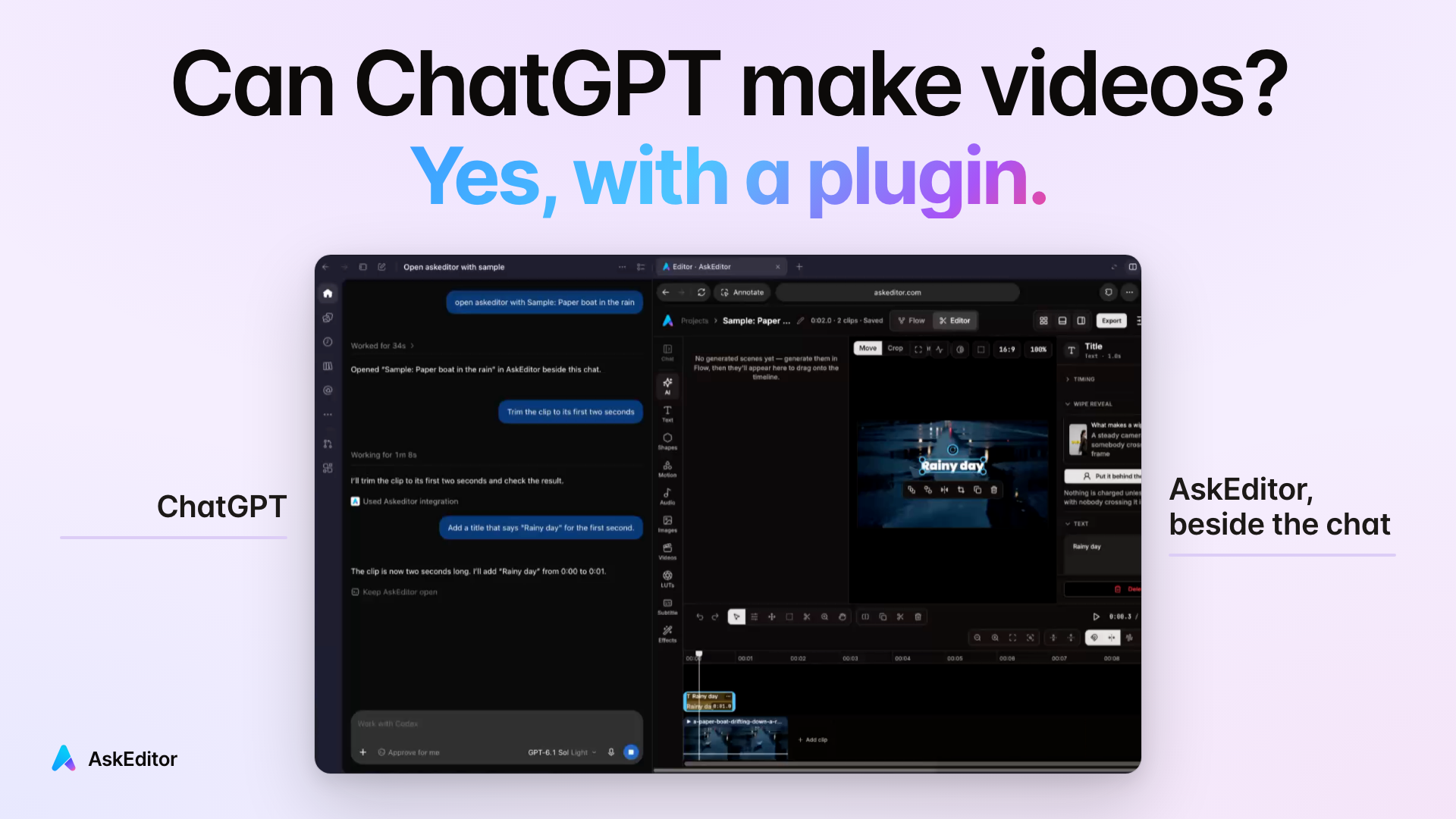
Can ChatGPT make videos? Not on its own, but plugins in its desktop app now make and edit them. One working, what a video costs, and every plugin.
Table of contents
Can ChatGPT make videos? Yes, with a plugin. Not on its own. ChatGPT has no video maker of its own on any plan, and OpenAI closed Sora's app on 26 April 2026. But plugins in the ChatGPT desktop app now make videos inside the chat. Some generate clips from a sentence. Others edit your own footage on a real timeline.
The catches, before anything else:
- It works on ChatGPT's free plan. These plugins install through Codex, the agent built into the ChatGPT desktop app, which OpenAI includes on every plan. One exception: invideo's own page still asks for ChatGPT Plus.
- You need a computer. AskEditor's plugin runs in the ChatGPT desktop app on a Mac or a Windows PC, not in the phone app. Reading this on your phone? Send the page to your computer with your browser's share button.
- Editing your own footage can cost nothing. On AskEditor's Free plan you get cuts, captions and 1080p exports, with no watermark.
- Generating new footage costs money on every route, ours included.
- CapCut's ChatGPT plugin wasn't in the US on 2 November 2026. Its own page listed it outside the US only, and CapCut's Instagram post promised an open beta in November 2026. On that date AskEditor, ChatCut and invideo worked in the US.
We make AskEditor, one of these plugins. Every other one is below, priced from its own pages. To find out what you'd ask, we read the 1,199 top comments under the 13 biggest YouTube videos on this question.
Start here: which way is yours
- You film yourself and want it cut and captioned Three sentences, six minutes, nothing to pay.
- You have no footage Graphics drawn from your voice, or clips generated from a sentence.
- You want the price first A Reel, an 8 minute explainer and every plugin, in dollars.
- You saw a plugin in a video and want to know which ChatCut, HyperFrames, CapCut, Higgsfield, HeyGen and the rest, side by side.
Using Claude instead of ChatGPT? AskEditor works there too, on Claude's free plan as well: read Claude and CapCut.
Came from a video? Kevin Stratvert's used HyperFrames, which writes video as code. Marcin AI's used ChatCut. Chronos Code's was CapCut's own plugin, in a video CapCut sponsored. The rest are under Every plugin, side by side.
Can ChatGPT make videos alone?
No. It writes the script and makes the pictures, but it can't hand you a video file. OpenAI's plan table has a row for image generation on every plan and no row for video. Its video app, Sora, closed on 26 April 2026, and the Sora API followed on 24 September.
| You want | ChatGPT alone | ChatGPT with a plugin |
|---|---|---|
| A script, a shot list, a hook | Yes | Yes |
| A picture | Yes | Yes |
| A video file you can post | No | Yes |
| Your own footage cut and captioned | No | Yes, with an editing plugin |
| A clip made from one sentence | No | Yes, with a generating plugin |
| One cut fixed by hand | No | Yes, where the plugin gives you a timeline |
That's why the Reddit question at the top of Google reads "I'm not seeing any video option in the app". There isn't one. The video option is a plugin you add. With one, an edit is a sentence:
Your own clips, edited
Three plain sentences turned a 31 second take into an 11 second captioned clip, in six minutes, for nothing. This is the edit most of you asked about: 71% of the commenters who said which kind of video they wanted meant their own footage.
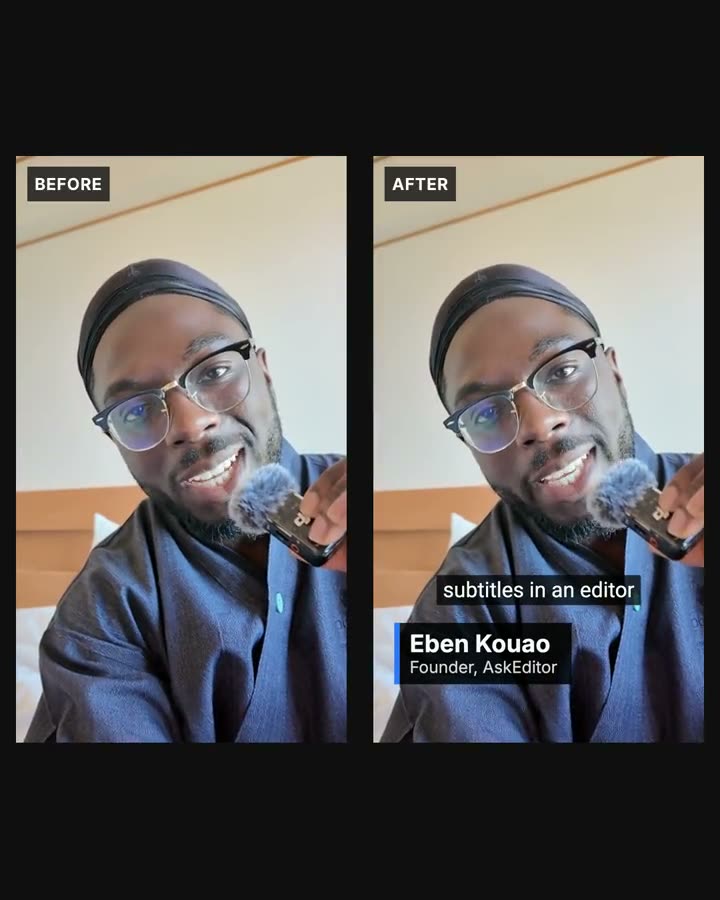
The three sentences, word for word:
- "Cut out the long pauses and the bits where I say the same thing again."
- "Add captions that are plain and easy to read."
- "Put my name at the start: Eben Kouao, Founder of AskEditor."
What it did:
- Cut 5 pauses and two of the three takes of the last line: 31.0 seconds became 11.0.
- Added captions in a plain closed caption style, and one name card.
- Took 6 minutes from the first sentence to the finished edit, 2 of them the upload.
- Exported at 1080p on the Free plan, with no watermark and 0 credits.
We asked these three in Claude. ChatGPT's plugin calls the same AskEditor tools, and here it is in ChatGPT's desktop app on 27 October 2026, on two smaller edits. The words under each film are what was typed.
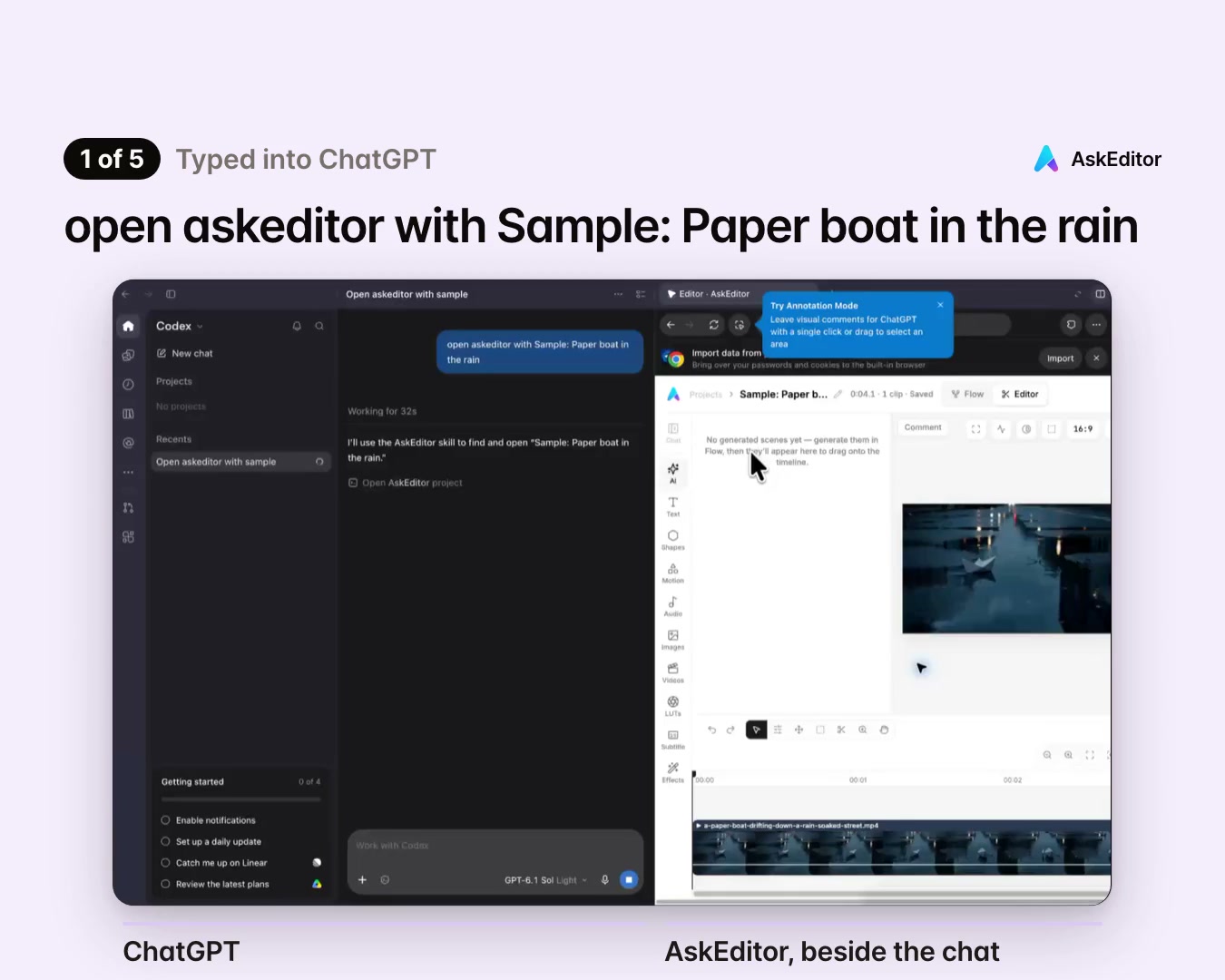
Your clip is already online? A product video on your own site, say: ChatGPT can start a project from its link. Here it did, with a clip from our own site:

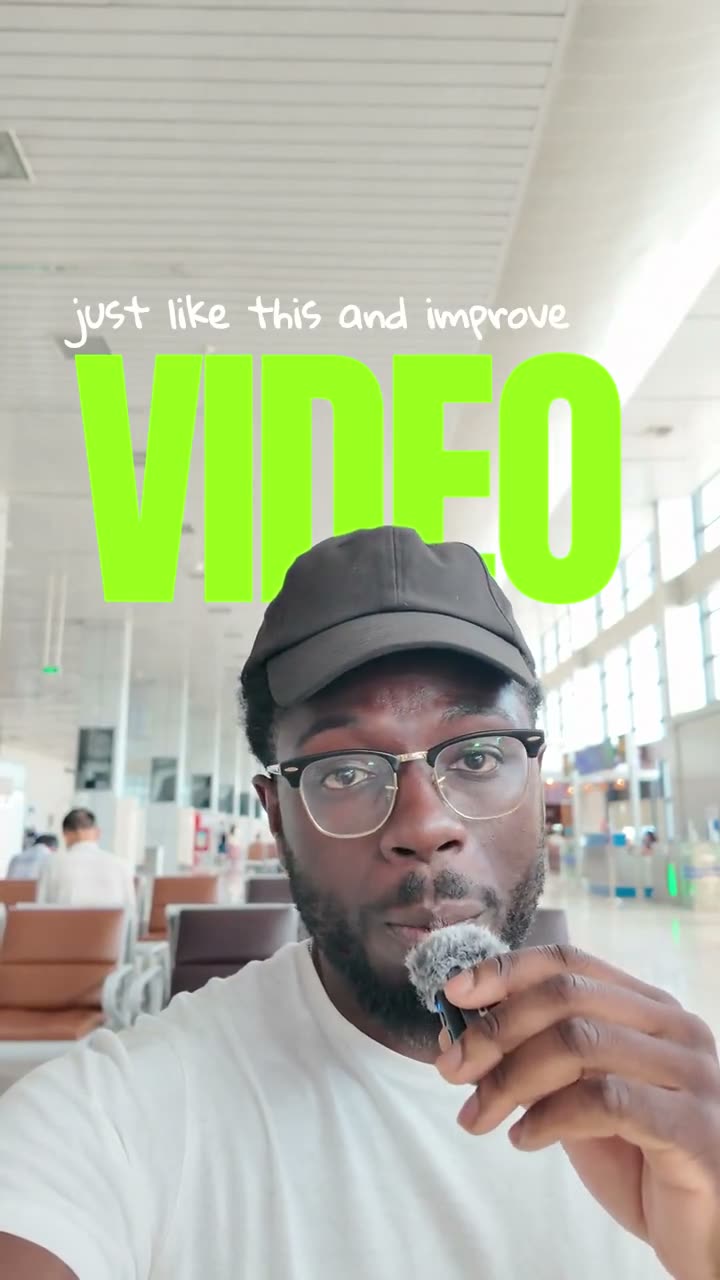
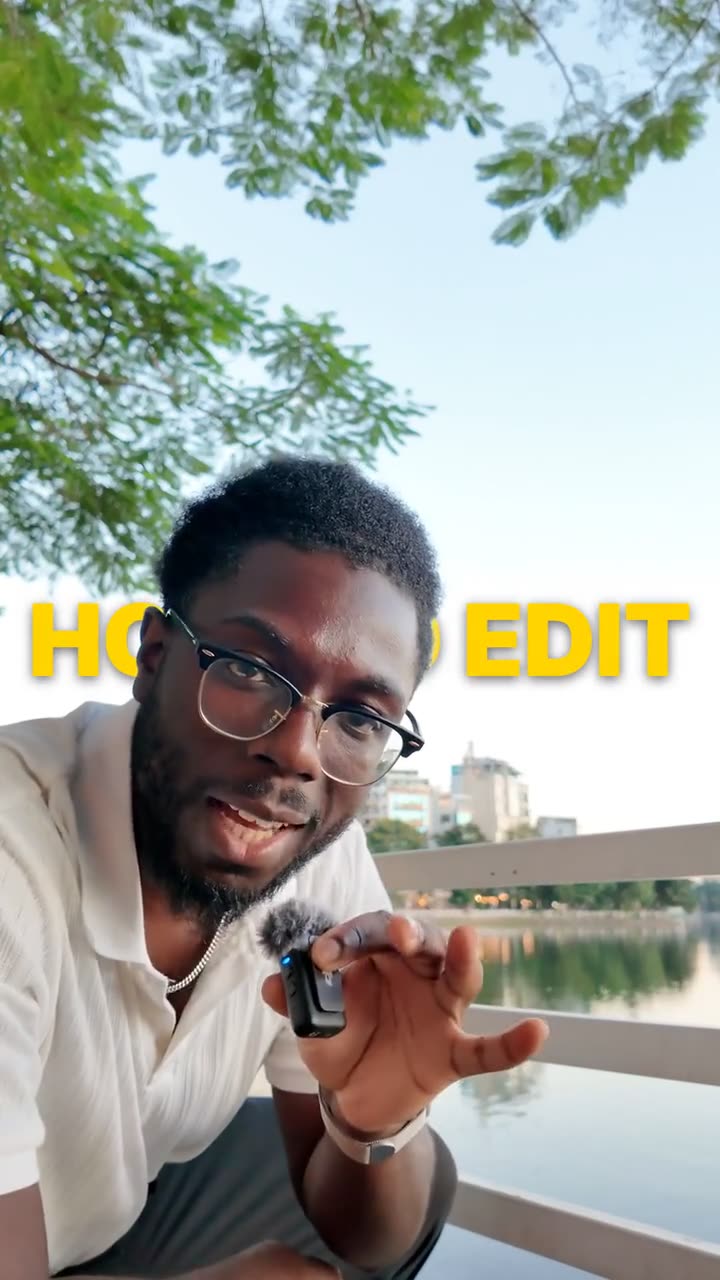
If you post vertical videos, these are the looks people ask for most. Each was made in AskEditor on my own footage, and each exports as a 9:16 MP4 you can post, or finish in CapCut.
Plain cuts and captions cost nothing; these three cut you out of the picture, which uses credits. A 60 second Reel with one of them is 60 credits, about $1 on the Creator plan. The Free plan comes with no credits; the smallest first buy, when it's offered, is 1,000 credits for $4.99.

Ready to try it? Set it up takes two minutes on your computer. Or see what it costs first.
No footage? Faceless videos
Graphics drawn from your voice cost nothing. Footage generated from a sentence costs money on every route. If you run a faceless channel, those are your two choices, and they're priced very differently.
The three sentences behind it:
- "Turn this recording into a 16:9 explainer with no face on screen, only graphics."
- "Keep the clearest 20 to 30 seconds."
- "Make the graphics look expensive: kinetic titles on the key words, an animated chart, and a list that builds as I talk."
Each graphic starts on the word it illustrates. There's no stock footage and no generated clip in it, which is why it cost nothing. It took 9 minutes from the first sentence to the finished edit, again asked in Claude, with the same tools ChatGPT calls.
The voice is your own recording, as here, or AskEditor can read your script aloud: 40 credits for every 1,000 characters, roughly a minute of speech, about 67 cents a minute at the Creator plan's rate.
Generated footage is where the money goes. AskEditor generates clips with Slate, our own model, at 8 credits a second at 720p and 12 at 1080p. A minute at 720p is 480 credits: about $8 at the Creator plan's rate, or $14 from the 700 credit pack. The plugins that only generate (HeyGen, Runway, Higgsfield and VEED) are priced in the next section.
Ready to try it? Set it up takes two minutes on your computer.
What one video costs
Three captioned Reels a week cost $0 on AskEditor's Free plan. An 8 minute explainer costs $0 with drawn graphics and real money with generated footage, on any route. Cost was the first question everywhere: 32% of everything the commenters asked, and 6 of the 10 videos from 2026 never said.
| Your video | On AskEditor | What changes the price |
|---|---|---|
| A 60 second captioned Reel, three a week | $0 on Free | Past 30 minutes of speech a month: 2 credits a minute |
| An 8 minute faceless explainer, drawn graphics, your own voice | $0 on Free | AskEditor's voice instead of yours: about $5 more |
| The same 8 minutes, generated clips | About $64 (3,840 credits) | Resolution, and which pack you buy |
The one limit that isn't money is Codex: your ChatGPT plan sets how much work it does in a day (below). Three 60 second Reels a week is about 13 minutes of speech a month, inside Free's 30 free minutes of captions. A credit is AskEditor's unit for paid work: the Creator plan's $20 a month brings 1,200.
What it takes to start on each plugin, from each company's own pricing page, checked again on 2 November 2026:
| Plugin | Free start | Paid from |
|---|---|---|
| AskEditor | Edit, captions, 1080p, no watermark | $20 a month ($12 yearly) |
| ChatCut | 60 minutes of export in all | $25 a month ($21 yearly) |
| invideo | No Free plan listed | $20 a month ($10 yearly) |
| HeyGen | 3 videos a month, watermarked | $29 a month ($24 yearly) |
| Runway | 125 credits, once | $15 a month ($12 yearly) |
| Higgsfield | No free credits | $19 a month |
| CapCut | No price listed | Outside the US only |
| HyperFrames | Free, open source | Your Codex use only |
What the paid plans bring: AskEditor's Creator 1,200 credits a month, ChatCut's 100, invideo's 400, Runway's 625, Higgsfield's 270 (a 15 second 1080p clip uses all 270). HeyGen's free videos run up to a minute each.
ChatGPT's own plan: Free works. OpenAI calls Codex use "Limited" on Free and Go and "Expanded" on Plus ($20 a month), so a long edit goes further on Plus.
Sources: AskEditor, ChatCut, invideo, HeyGen, Runway, Higgsfield, CapCut, HyperFrames, ChatGPT.
Set it up
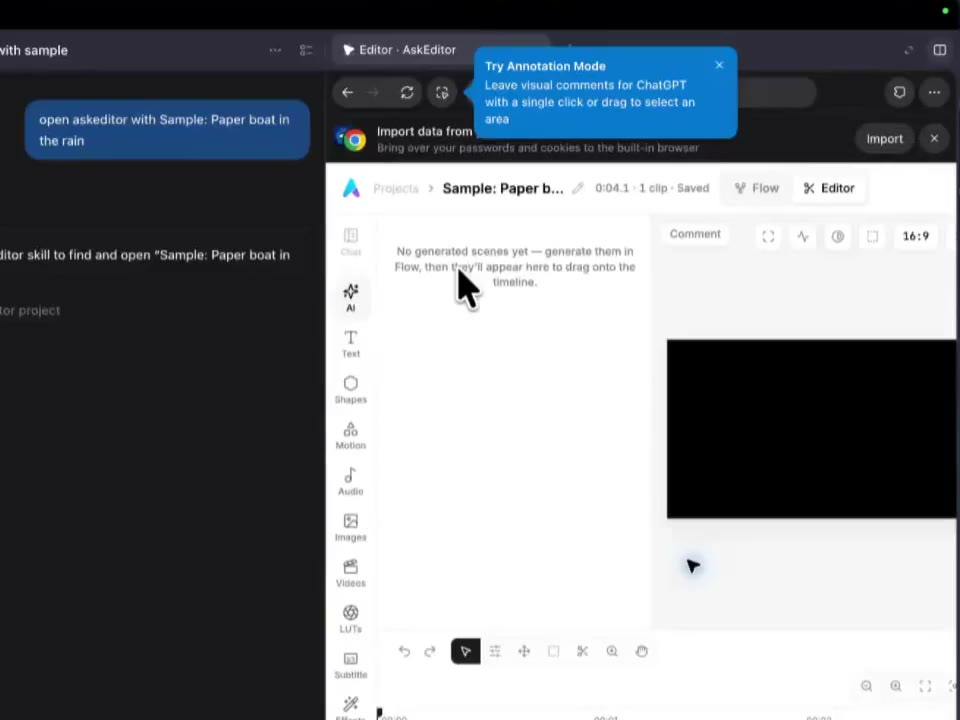
Adding AskEditor to ChatGPT takes about two minutes. The steps, with pictures, are on our ChatGPT plugin page, kept up to date there. What to know before you start:
- You need the ChatGPT desktop app on a Mac or a Windows PC. Any ChatGPT plan works, the free one included.
- AskEditor isn't in ChatGPT's plugin search yet, because OpenAI is still reviewing it, so start from our page.
- Your clips are on your iPhone? Move them to the computer first (AirDrop, iCloud Photos or a cable). Free takes files up to 500 MB each, so a one minute Reel fits.
- Reading this on your phone? Use your browser's share button to send this page to your computer.
Every plugin, side by side
They split in two: plugins that generate a clip from a sentence, and plugins that edit your footage on a timeline. First, the one you probably came from. The plugin in each video:
- Marcin AI's "New ChatGPT video editor is crazy cheap!" and All Thingz Real's: ChatCut.
- Kevin Stratvert's "How to Edit Videos with ChatGPT": HyperFrames, HeyGen's open source tool, in Codex.
- Chronos Code's "How to Generate AI Videos from ChatGPT with CapCut": CapCut's own plugin, in a video CapCut sponsored.
- Nicky Saunders', AI Master's, Miko's and AI BORDER's: Higgsfield.
- Paul J Lipsky's "ChatGPT Edited This Entire Video": a code-based animation plugin driving Borumi, a desktop editor sold for $79 once.
- HeyGen's own "ChatGPT Can Make Videos Now": HeyGen.
Nine of the ten from 2026 are sponsored by, or carry a paid link to, the tool they show. That doesn't make them wrong. It's why the prices above come from each company's own page instead.
| Plugin | What you get | In ChatGPT's search |
|---|---|---|
| AskEditor | Your footage edited on a timeline, beside the chat | In review (submitted 27 October 2026) |
| ChatCut | Your footage edited on a timeline; also generates | Yes |
| invideo | Your footage edited on a timeline, which also opens beside the chat; also generates | Yes |
| CapCut | A CapCut draft, from your media or a prompt | No; outside the US only |
| HeyGen | A finished presenter video, voiceover or translation | Yes |
| Runway | Generated clips, images and audio | Yes |
| Higgsfield | Generated clips, from text or a product photo | Yes |
| VEED Video Generator | A presenter video | Yes |
| HyperFrames | An MP4 written as code; changes are made in code | Yes |
| Demo Videos, by OpenAI | Screen recordings, trimmed, with captions and zooms | Yes |
Sources: each plugin's own page and its listing in ChatGPT, read on 30 October 2026 and checked again on 2 November: ChatCut, invideo, HeyGen, Runway, Higgsfield, VEED, HyperFrames.
Which to pick: if you film yourself, choose an editing plugin. Of the three you can use today, AskEditor's Free plan has no export cap, ChatCut's Free plan gives 60 minutes of export in all, and invideo's editing uses no credits, though its pricing page lists no Free plan.
If you have no footage, AskEditor draws graphics from your voice for nothing, as above; for a presenter or a generated scene, HeyGen, Runway and Higgsfield are built for that.
Limits worth knowing
The ones you'll meet first are needing a computer and file size on the Free plan.
| AskEditor Free | Creator, Pro, Studio | |
|---|---|---|
| File size | 500 MB a file, 2 GB in all | 4 GB a file, no storage limit |
| Length | No limit in minutes, only file size | The same |
| Export | 1080p, made in the browser on your computer | 1080p on Creator, 4K on Pro and Studio, on our servers too |
| Captions | 30 minutes of speech a month free | 10 hours a month free |
| Watermark | None | None |
Past the free minutes, captions cost 2 credits a minute. On Free, keep the editor open until the export finishes.
- Devices: AskEditor's plugin needs the ChatGPT desktop app on a Mac or Windows PC. Some other plugins run on the phone app too; each plugin's listing says.
- Languages: the Subtitle Generator covers other languages, from Spanish to Vietnamese.
- ChatGPT's side: every ask uses your ChatGPT plan's Codex allowance. AskEditor sets no daily limit on ChatGPT's messages.
- CapCut: outside the US only, on 2 November 2026. Its page names the ChatGPT desktop app on PC and doesn't mention a Mac.
- YouTube: its monetization policy won't pay for repetitive or mass-produced videos, including AI videos made "with generic or unoriginal templates". Using AI to edit your script or make a background visual is allowed.
Where these answers come from
We read Google's page for this question, the 13 biggest YouTube videos on it, their 1,199 top comments, and every company's own pages, on 30 October 2026. What stood out:
- In none of the 13 videos does ChatGPT make the video alone. Every one adds a plugin or another app.
- Sora isn't mentioned once, in the videos or the comments.
- Cost came first: 175 of the 546 comments that asked for something, 32%.
- Your own footage beat footage from nothing. The four editing videos from 2026 have 753,000 views between them; the six that generate clips have 313,000.
- Uploading a video to ChatGPT is answered in OpenAI's own Image Inputs FAQ (read 1 November 2026), not on its uploads page.
- The best tutorials, if you want to watch one: Kevin Stratvert's is the clearest walk through Codex and HyperFrames; Marcin AI's shows ChatCut on a real talking head (read its comments on cost); Chronos Code's is the only one showing CapCut's plugin.
Frequently Asked Questions

Can ChatGPT make videos for free? Yes, if you're editing your own footage or drawing graphics over your own voice. ChatGPT's free plan, its desktop app and AskEditor's Free plan cost $0, with captions for 30 minutes of speech a month and 1080p exports with no watermark. Generating new footage from a sentence costs money on every plugin.
Do I need ChatGPT Plus? No. Plugins install through Codex, which OpenAI includes on every plan, Free and Go included. Plus gives Codex more room, which helps on a long edit.
Can ChatGPT edit videos? Not on its own: it has no video editor built in. With an editing plugin such as AskEditor, ChatCut or invideo, it cuts, captions and styles your own footage on a timeline you can still change by hand.
Can I upload a video to ChatGPT? Yes, on every plan, Free included: press + and choose Add photos & files. If Photos shows no videos on an iPhone, save the clip to Files and attach it from there. OpenAI says ChatGPT may not watch all of it or hear all of the sound, and it can't hand back an edited video.
Can ChatGPT make videos from photos? Not by itself. Generating plugins such as Runway, Higgsfield and HeyGen turn a photo into a clip, and so does AskEditor's Image to Video tool. All of them use credits.
Can I make videos with ChatGPT on my phone? Not with AskEditor: its plugin needs the ChatGPT desktop app on a Mac or Windows PC. Some other plugins also run in the phone app, so check each plugin's listing.
Will my videos look like everyone else's? It's the most liked worry under the 2026 videos. Only if you keep the defaults. Ask for your own fonts, colours and pacing, or change any cut by hand on the timeline beside the chat.
Will YouTube pay for videos made with ChatGPT? It can, if the video is yours. YouTube's monetization policy won't pay for mass-produced videos made from generic templates, AI or not. Your own voice, ideas and edit are what keep a video eligible.
Is Sora coming back? OpenAI's help page gives the dates Sora closed, 26 April 2026 for the app and 24 September 2026 for the API, and names no replacement.
Which AI can create videos? HeyGen, Runway, Higgsfield and VEED generate clips from a sentence. AskEditor, ChatCut and invideo edit your own footage. ChatGPT on its own makes none.
Does this work in Claude too? Yes, on Claude's free plan too. AskEditor works in Claude the same way, and our Claude and CapCut guide shows how.
Eben - AskEditor
Guides on making marketing video with AI, from the team building AskEditor.