

Character consistency in AI video doesn't break because your model is bad. It breaks because the decisions that define your characters get made too late.
Character consistency in AI video is the problem everyone blames on the model. The face shifts between scenes. The jacket changes color. Hair that was the right length in shot three is suddenly shoulder-length in shot four.
Most teams react by trying harder prompts. Longer descriptions. More adjectives. Better reference images shoved into a single generation call.
It rarely works. We've watched it fail enough times to know it doesn't fail because of where teams are looking.
Key Takeaways
- Character consistency in AI video doesn't break because models are bad. It breaks because character identity gets re-decided on every scene, under a different prompt and a different seed.
- Treating consistency as a prompting problem only addresses the symptom. The underlying cause is that the visual decisions defining a character are made too late, too many times, across disconnected generation calls.
- The teams that hold consistent characters across twenty shots lock identity once, visibly, in a storyboard, and let every downstream scene inherit from the same anchored foundation.
Where Character Consistency Actually Breaks Down
Consistency doesn't break because the model forgot what your character looks like. It breaks because nothing in your workflow ever told the model, once and authoritatively, who that character is.
Here's what actually happens in our experience. You generate scene one. You write a prompt describing your protagonist (dark hair, green coat, mid-thirties). The result looks great. You move to scene two. You rewrite the prompt, maybe rephrase a detail, maybe lean on a reference image. Scene two looks great too. Then you line them up and the two "great" scenes look like two different people wearing similar outfits.
Each scene was a fresh decision. Each prompt was a slightly different interpretation. The model behaved exactly as asked. The ask just wasn't the same twice.
This is the scaling problem. One scene is manageable. Twenty scenes across a full sequence, with tweaks, regenerations, and late notes from a director, is where character identity fragments.
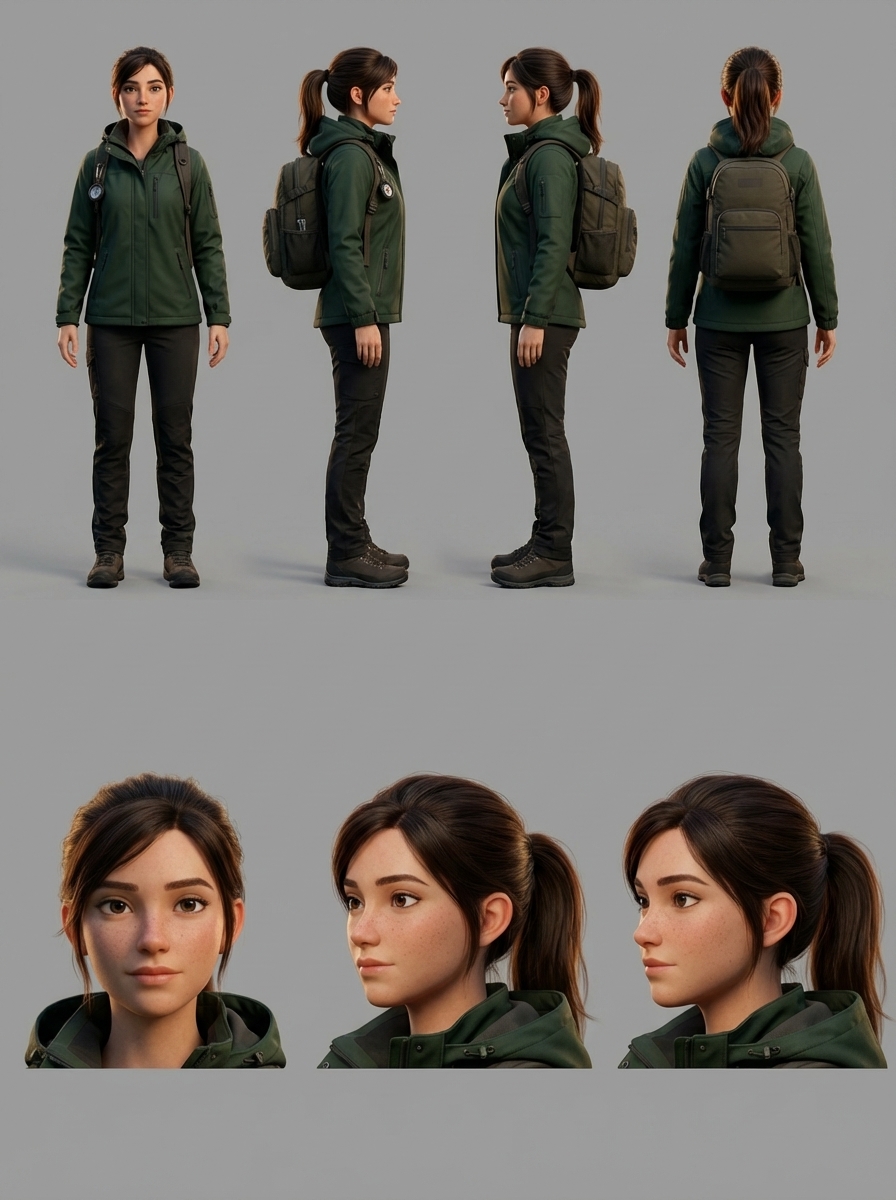
Seven angles of the same character, generated from a single reference in one pass. This is what a locked character identity looks like, before any scene touches it.
Why Prompts Alone Can't Hold a Character Together
Prompts describe. They don't anchor.
"Brown-haired woman, red jacket, late twenties" is a description any number of faces could satisfy. A model given that description twice, with different surrounding context and different seeds, will produce two plausible women who technically match the words and obviously don't match each other. Add ten more adjectives and the problem gets worse, not better. More adjectives means more dimensions for drift.
Reference images help, but only inside a single generation. The moment you start a new scene with a new prompt, you're implicitly restating the character from scratch. The model has no memory of the decision you made last time. It only has the words in front of it right now.
What's missing is a place where the character is defined once and then referenced, not re-described, by every scene that follows.
The Storyboard Is a Decision Surface, Not a Drawing
Storyboards in traditional filmmaking are rough sketches used to block out shots. That isn't what a storyboard is in AI video production. In AI video, a storyboard is a decision surface: the place where you lock creative choices before any frame is generated.
Character identity. Visual style. Tone. Scene order. These are decisions that need to exist somewhere the model can see every time it generates. If they live in your head, or in a separate brand document, or in the first prompt you wrote two hours ago, they don't survive the process.
The storyboard is what makes those decisions durable. Visible, editable, and (critically) attached to every downstream generation call.
When you use the storyboard this way, prompting stops being the job. Directing becomes the job. You're no longer re-describing your character into every scene. You're pointing at a fixed reference and letting the system fill in the rest.
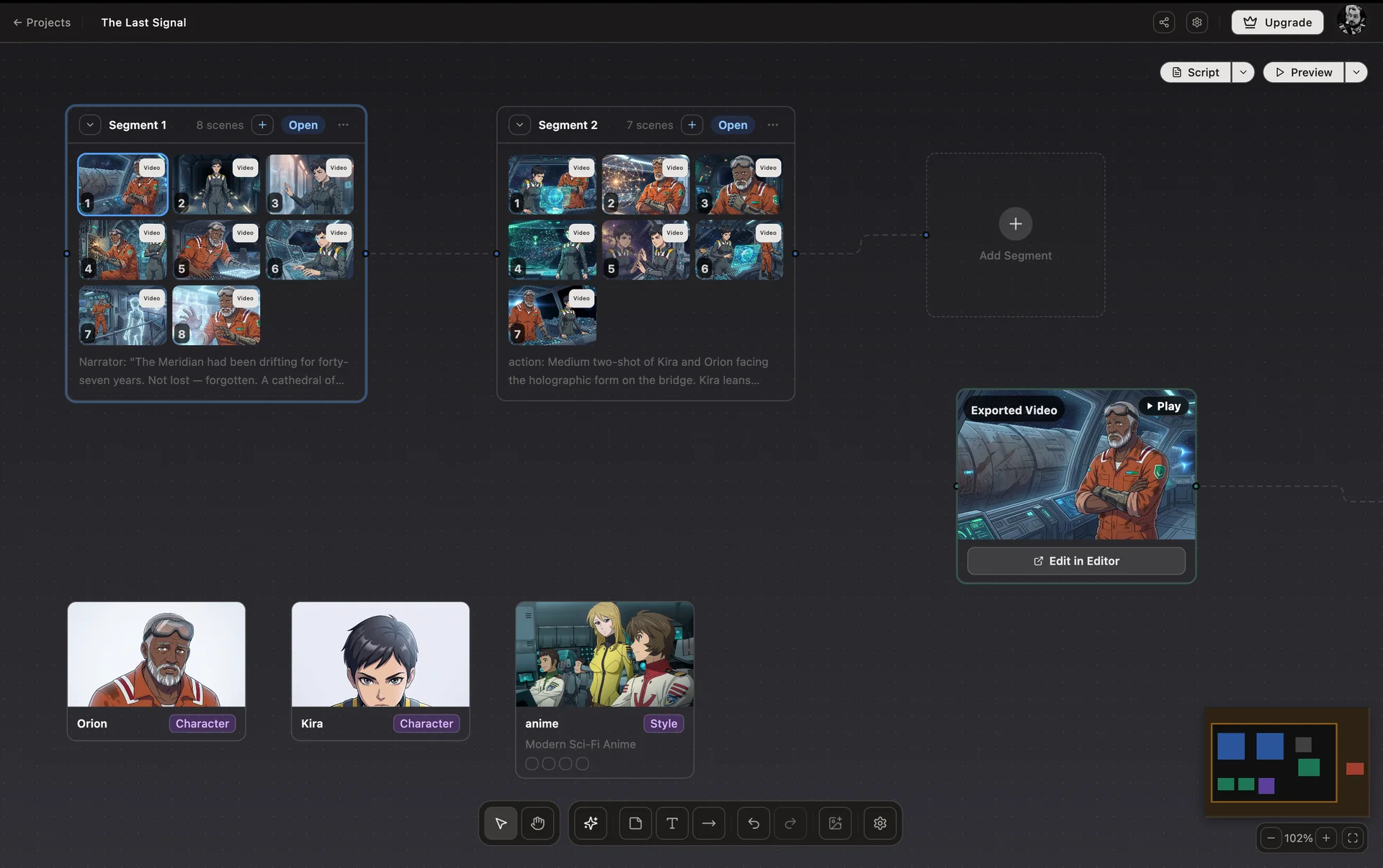
Studio Canvas: every scene, character, and style lives on one surface. The decisions that define the work are visible from the moment they're made.
How AskEditor Studio Locks Character Identity Before Generation
AskEditor Studio is built around this idea. The Studio Canvas is the decision surface, a node-based view where characters, visual styles, and script segments connect to scenes as first-class objects rather than buried inside prompt text.
Underneath that view is a six-phase consistency pipeline that runs on every scene generated from the board:
- Temperature reduction. Generation temperature drops to 0.3 so the model stops making creative reinterpretations of details it should be copying.
- Enhanced negative prompts. Known drift triggers (different face, different clothing, new person) are actively suppressed.
- Consistent session seed. Every scene in a project shares a single seed, so the model starts from the same pseudorandom ground state each time.
- Dual reference. Each character carries both a reference sheet URL and an extracted-features text description. Both travel with every generation call, so the model sees the character visually and verbally at once.
- Feature extraction and batch prompting. Before scenes are generated, Gemini Vision extracts the character's locked appearance from the reference sheet and prepends it to every scene prompt under a LOCKED APPEARANCE header the model cannot casually override.
- Style anchoring. After the first scene renders, Studio extracts the realized rendering technique, color palette, line quality, and lighting, then injects that as VISUAL STYLE LOCKED into every subsequent scene so the whole sequence inherits the same visual grammar.
None of those phases are things a user has to configure scene by scene. They run because the storyboard exists. The decision to lock identity was made once, up front, visibly. After that the pipeline carries it through the rest of the work.
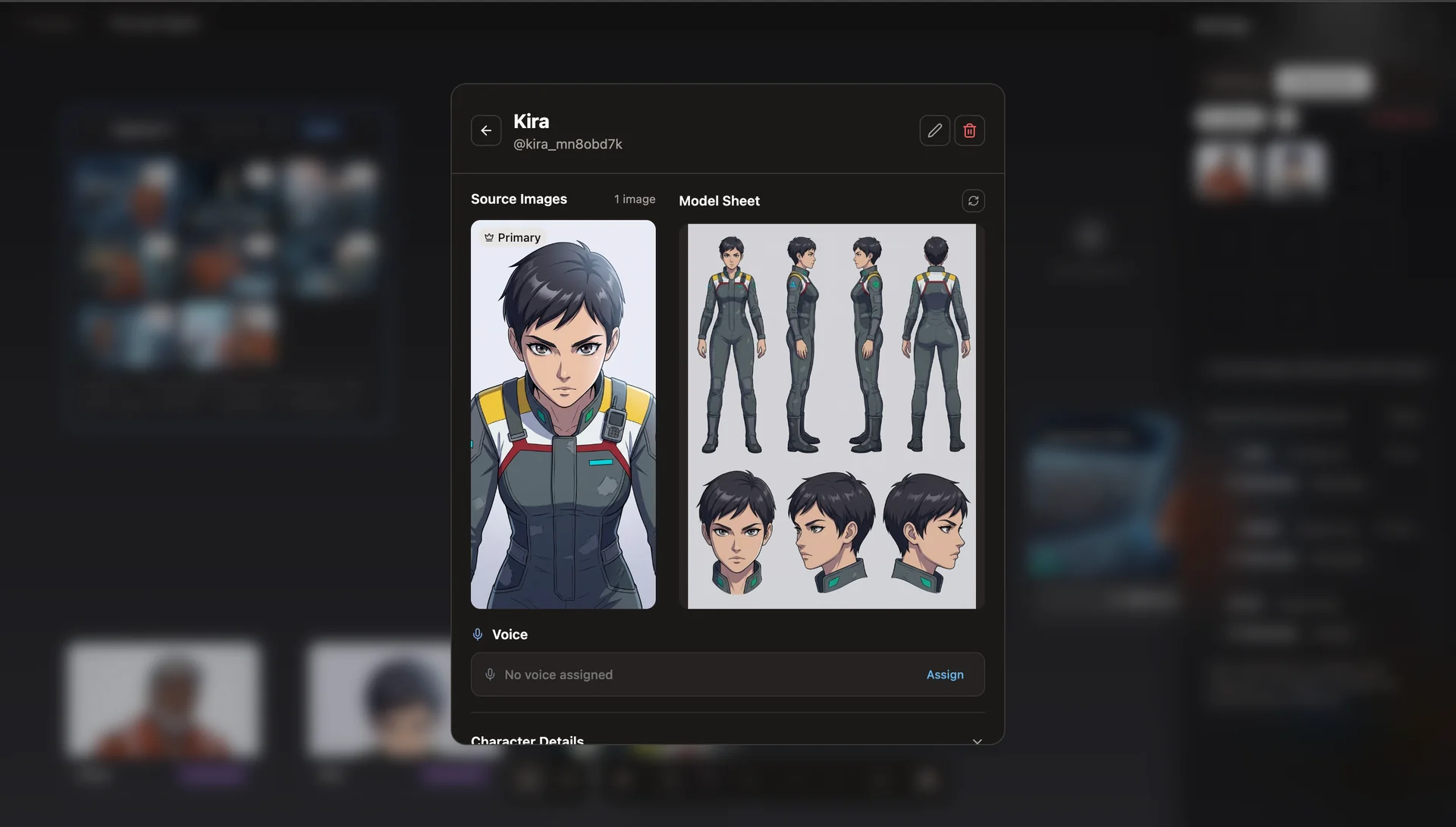
Every character in Studio carries a reference sheet and a set of extracted features. Both travel with every scene prompt.
What This Changes for Post-Production
When character identity is anchored upstream, post-production stops being damage control.
You stop regenerating shots three times hoping the face will finally look right. You stop rebuilding sequences around the one take that happened to match. You stop negotiating between a scene that looks good and a scene that looks consistent. Time in the editor goes back to the actual job: pacing, transitions, sound, cuts. Instead of patching problems that should never have entered post in the first place.
That's the quiet result of treating the storyboard as a decision surface. More of what reaches post is usable. More of the work you do in post is creative.
The Bottom Line
Character consistency in AI video is not a prompting problem or a model problem. It's a clarity problem, and clarity problems get solved upstream, once, in a place the work can inherit from.
Lock the decisions. Let the generation pipeline carry them. Post-production takes care of itself.
AskEditor Studio is built around that principle. If character consistency across scenes is something you're still fighting in post, the Studio Canvas is where that fight ends.