AskEditor features: the complete AI video editing and ad-creation toolset
The video editor that
understands you.
Describe what you want. AskEditor handles the cuts, captions,
motion graphics, and everything in between.
Chat with AI on the left. Your video on the right. Full timeline below.
Turn a prompt into motion graphicsBeta
Describe what you want. Our AI generates broadcast-ready animations in seconds.
 AI Editor
See it in action.
No download. No install. Open a tab and start editing.
A professional timeline with AI that handles cuts, trims, and transitions for you.
Everything you need to ship faster.
From rough cut to final delivery — without the back-and-forth.
1/4
Motion graphics without After Effects.
Lower thirds, callouts, animated charts. Describe what you need like you're texting a designer. No keyframes. No plugins.
Explore motion graphics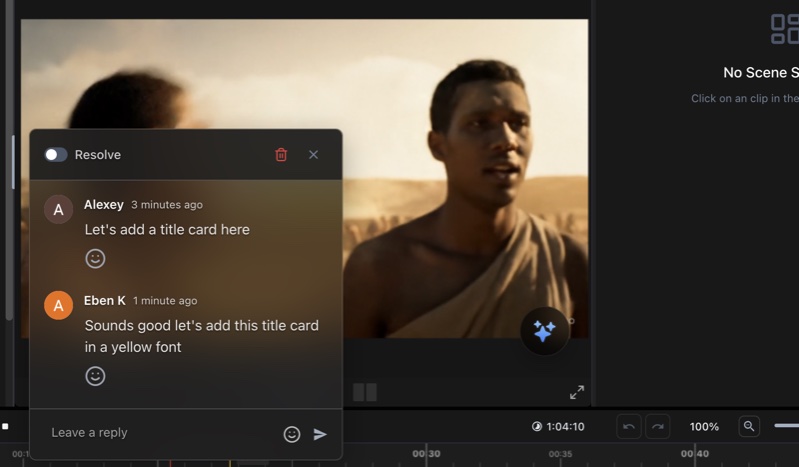
Stop editing. Start directing.
Tell AskEditor what you want in plain English. It handles the cuts, transitions, and timing. You focus on the story.
Try AI editing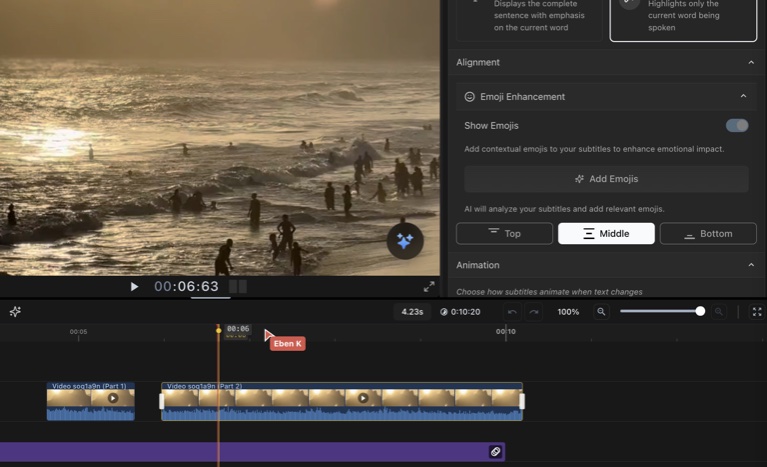
Clean up a 30-minute recording in seconds.
Filler words, false starts, awkward pauses — gone. AskEditor understands speech, not just waveforms.
See it in action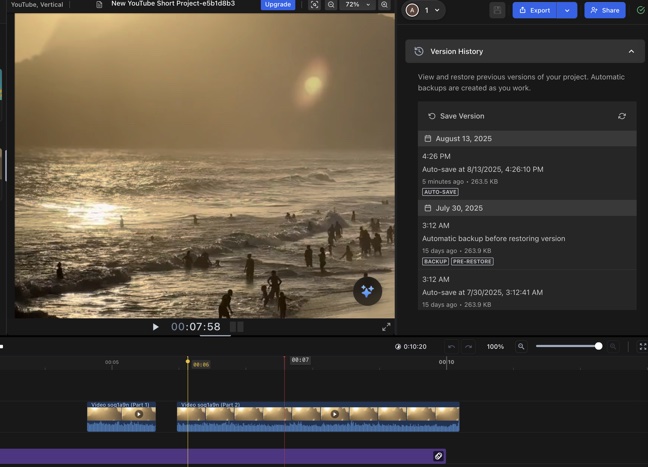
Core Features
Professional Timeline Editor
Multi-track timeline with frame-accurate editing, transitions, effects, and professional controls similar to Final Cut Pro and Adobe Premiere.
AI-Powered Assistant
Natural language video editing. Just describe what you want and our AI makes it happen. Edit videos by chatting with AI.
Cloud-Based Rendering
No more waiting for exports. Our cloud infrastructure handles rendering, so you can continue working while videos process.
Video Editing
Smart Cut & Trim
Intelligent scene detection, automatic silence removal, and smart cuts that maintain video flow and pacing.
Multi-Layer Editing
Stack unlimited video, audio, text, and image layers. Professional compositing with blend modes and opacity controls.
Transitions & Effects
200+ built-in transitions and effects. From simple fades to complex 3D transitions. Customizable parameters for each effect.
Animations & Keyframes
Animate any property with keyframes. Create complex motion graphics, zoom effects, and custom animations.
Collaboration Tools
Timeline Comments
Leave feedback directly on the timeline. Tag team members, resolve comments, and track all feedback in one place.
Version History
Never lose work. Automatic saves with complete version history. Compare versions and restore any previous state.
Instant Sharing
Share videos with a link. No downloads required. Viewers can comment and provide timestamped feedback.
Team Workspaces
Organize projects by team. Manage permissions, share assets, and collaborate across departments.
AI-Powered Features
Auto Subtitles
AI-generated subtitles in 100+ languages. Automatic transcription with 99% accuracy. Customizable styles and animations.
Script Generator
Generate video scripts with AI. Provide a topic and get professional scripts with scene breakdowns and shot lists.
Smart Thumbnail Creator
AI-powered thumbnail generation. Automatically extract the best frames or generate custom thumbnails with AI.
Text-to-Speech
Natural-sounding AI voices in multiple languages. Perfect for narration, tutorials, and voiceovers.
Assets & Media
Asset Library
Millions of stock videos, images, music tracks, and sound effects. All royalty-free and ready to use.
Audio Tools
Professional audio editing with waveform visualization, noise reduction, EQ, and audio effects.
Template System
Pre-built templates for every need. Social media, presentations, tutorials, and more. Customize with your brand.
Brand Kit
Store your brand colors, fonts, logos, and assets. Apply brand consistency across all videos automatically.
Export & Publishing
Multiple Export Formats
Export to MP4, MOV, WebM, GIF, and more. Optimized presets for YouTube, TikTok, Instagram, and other platforms.
Responsive Resizing
Automatically resize videos for different platforms. One edit creates versions for all social media formats.
Direct Publishing
Publish directly to YouTube, Vimeo, and social platforms. Schedule posts and manage all channels from one place.
Analytics Integration
Track video performance across platforms. See views, engagement, and insights all in one dashboard.
Stop putting it off.
Your next post is one sentence away.
Ask for the ad, spin the variations, schedule them everywhere.