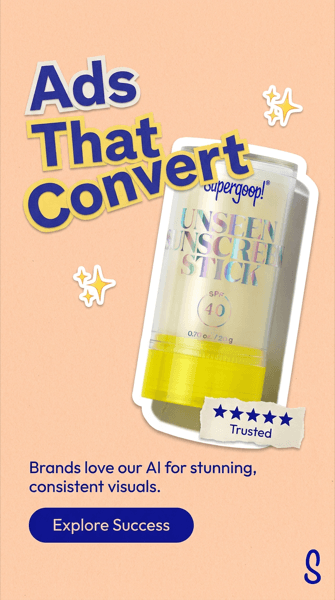
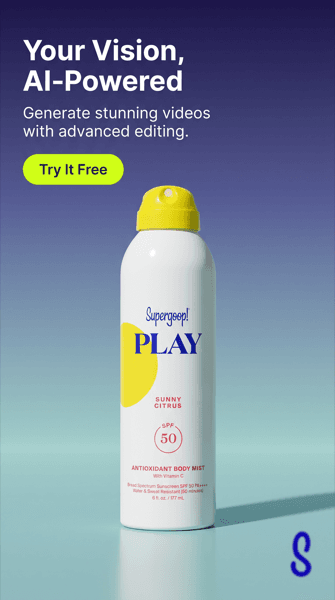
Static Ad Templates

Templates that build the ad for you

Five static ad layout styles, designed by AI around your actual product. Pick a style, paste your product link, and the headline, colors and CTA arrive baked in.

Free to start. Credits apply when you generate.

The five static ad template styles

Product Hero static ad template example generated with AskEditor

Product Hero

Your product centered on a clean studio or gradient backdrop, with the headline and CTA set in the negative space. The quiet, premium default that suits almost any product.

Best for: First campaigns, premium positioning, products that photograph well

Use this style →
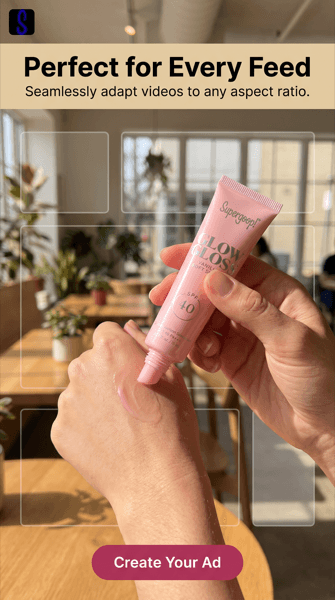
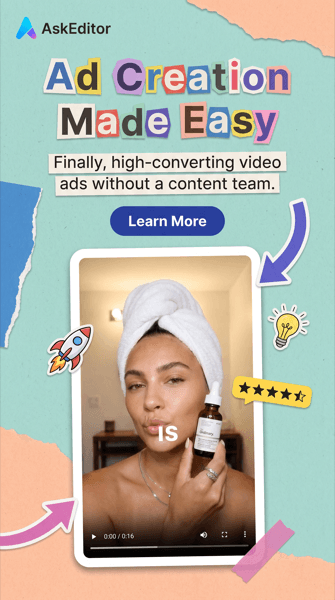
Lifestyle / UGC static ad template example generated with AskEditor

Lifestyle / UGC

The product in real hands and real settings, with creator-photo energy and a headline banner. Reads like content first and an ad second, which is the point.

Best for: Social feeds, personal care, anything bought on relatability

Use this style →
Social Proof static ad template example generated with AskEditor

Social Proof

Paper-collage and sticker aesthetics with a rating chip or quote doing the persuasion. Borrows the trust furniture of reviews and puts it inside the creative.

Best for: Products with strong reviews, crowded categories, retargeting

Use this style →
Promo Badge static ad template example generated with AskEditor

Promo Badge

A hero shot with a high-contrast offer sticker angled across it. Built for the moment the discount is the message, without looking like a clearance flyer.

Best for: Sales, launches, bundle offers, seasonal pushes

Use this style →
Feature Callout static ad template example generated with AskEditor

Feature Callout

Bold saturated brand color, an oversized headline, and the product or UI floating at an angle. The loudest layout in the set, made for one big claim.

Best for: Apps and SaaS, single-benefit products, bold brands

Use this style →

How the templates work

1

Paste your product link

AI pulls your product images and brand details from the page. No page handy? Upload your own photos instead.

2

Pick your styles and sizes

Choose the layout styles you want in the set and the aspect ratios you buy: 9:16, 1:1, 16:9.

3

Generate a diverse set

Each set mixes the styles above with headlines, subheadings and CTAs written for your product and baked into the image. Edit any creative and re-generate it solo.

Want to see what winning layouts look like in the wild first? Browse our static ad examples breakdown, or check the current static ad specs for every platform.

Frequently asked

Are these static ad templates free?

Starting is free: paste a link, set up your ad set, and see how the styles apply to your product. Generating finished creatives uses credits, and paid plans cover producing and downloading at volume.

How are these different from Canva-style templates?

A classic template is a fixed layout you fill in by hand. These are layout styles the AI designs within: it places your actual product, writes the headline, subheading and CTA, and applies your brand colors and logo, so every output is composed for your product rather than squeezed into someone else's frame.

Can I use my own product photos?

Yes. Pasting your product or store page is the fastest path, but you can upload clean, high-resolution product shots instead, and they usually produce the sharpest results.

What sizes do the templates generate?

Portrait 9:16 for Stories, Reels and TikTok, square 1:1 for feeds, and landscape 16:9 for display and YouTube. Each creative is composed for its ratio rather than cropped from a master.

Can I edit an ad after it generates?

Yes. Every creative is editable: change the headline, subheading or CTA and re-generate just that one, or revise it with a freeform instruction, without redoing the whole set.

Pick a style. Ship the set.

Paste your product link and get on-brand static ads in every style above, sized for the placements you buy.

Generate static ads