Motion Graphics Software for Beginners (2026): Free Picks and AI
November 28, 2026 · Eben - AskEditor · 13 min read
The best motion graphics software for beginners, by your computer and what you make: free picks for 8 GB, After Effects' real cost, and what AI does now.
Table of contents
The best motion graphics software for a beginner is free, and which one depends on your computer and what you want to make. Under the 12 YouTube videos we read on it, the most liked complaint (374 likes, under Techno Graphics' "Best 2D Animation Software For Beginners") was about lists that never show "each program's real capabilities, including the pricing for them".
So each pick below comes with what it needs and costs, from its maker's own page on 31 October 2026, checked again on 23 November. We didn't install the other programs; we make AskEditor, and its film below is our own run.
- On a basic laptop: Cavalry, free, if it's from 2022 or later; Blender on an older one or on Linux.
- Explainers for YouTube: DaVinci Resolve if you want to learn, free; or ask for it if you only want the result.
- Reels for a brand: Canva with its free brand kit, or AskEditor, which we make, for graphics on your own clips by asking.
- A motion design job: After Effects, "the industry standard" for 2D in Motion By Scott's words.
- 3D: Blender. Apps, websites and social posts in a browser: Jitter, Rive or Lottie.
Start here: which one is yours
- I have a basic laptop 8 GB, no graphics card, Linux or a Chromebook: what runs.
- Is it worth learning now? What AI does, every way to ask for it, what people still pay for.
- I make YouTube explainers On Windows, with a voiceover.
- I make Reels for a brand Animated text and product graphics in your brand.
- 3D, characters, apps or websites Blender, Cinema 4D, Krita, Jitter, Rive and Lottie.
On a basic laptop
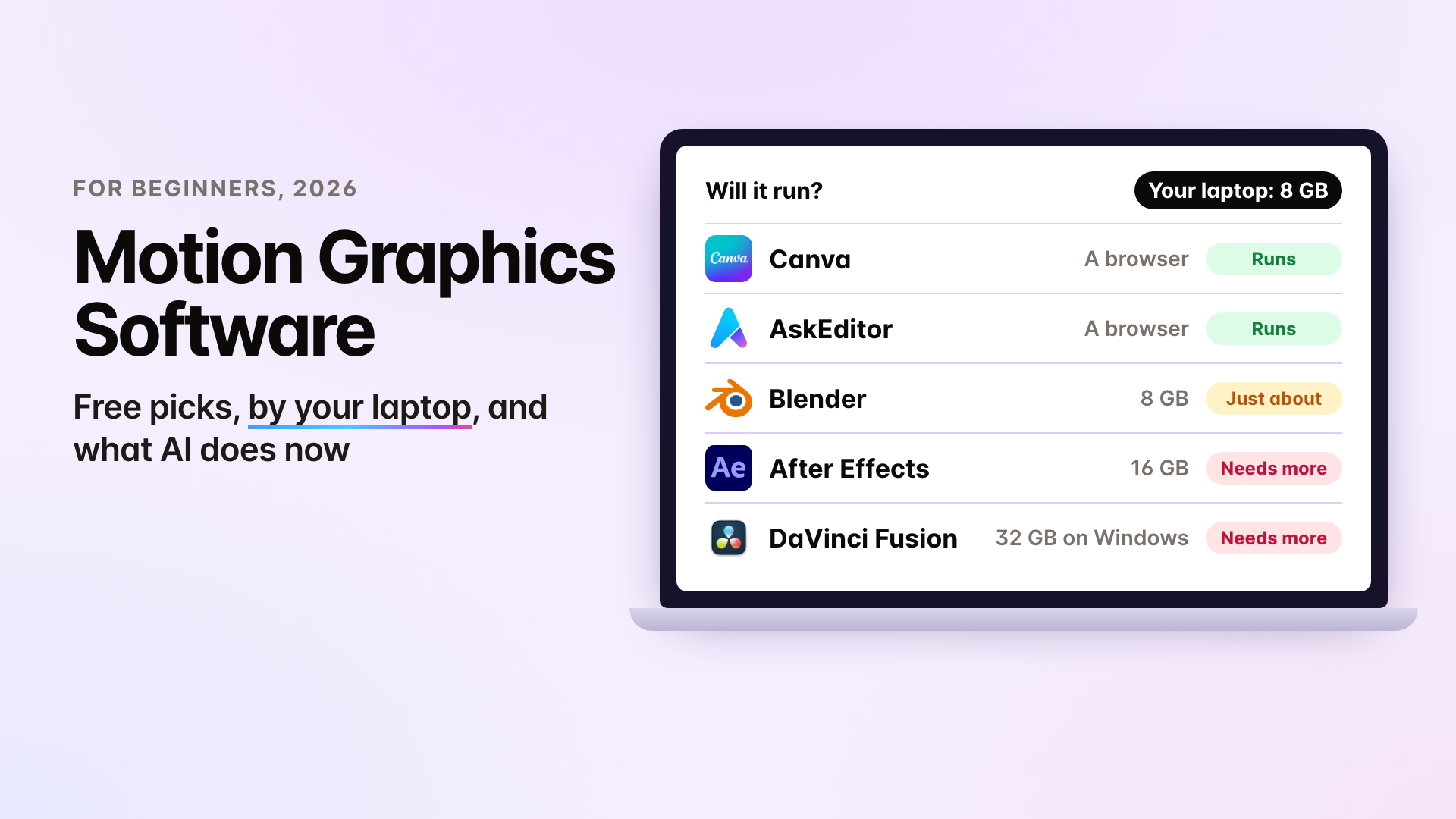
With 8 GB of memory and no graphics card, start with Cavalry if your laptop is from 2022 or later: it's free with a Canva account and built for 2D motion graphics the way After Effects is. On an older laptop, on Linux, or for 3D, start with Blender. After Effects asks for twice that memory.
| Software | What its maker says it needs |
|---|---|
| Blender | 8 GB and 2 GB of graphics memory; built-in graphics take theirs from the 8 GB, so such a laptop is just under it on paper |
| Cavalry | 512 MB; Intel's own graphics must be 12th generation or newer (laptops from about 2022 on) |
| Apple Motion (Mac) | 8 GB (16 GB recommended) |
| DaVinci Resolve, with its Fusion page | 16 GB on a Mac, 32 GB on Windows |
| After Effects | 16 GB and a 4 GB graphics card |
| Jitter, Canva, AskEditor | A web browser, a Chromebook's included |
- To check yours on Windows: Settings, System, About shows your memory; Task Manager's Performance tab shows your graphics.
- On Linux: Blender and DaVinci Resolve have Linux versions; After Effects doesn't.
- The skills carry over: Blender teaches keyframes and easing, the same ideas After Effects jobs ask for.
- Where to start in Blender: a Grease Pencil tutorial for 2D, such as Jesse J. Jones' "Blender 2D Animation Tutorial for Beginners", watched 1.7 million times:
Is it still worth learning?
Yes, if you want paid motion design work: clients still pay a person for taste, and AI now does quick, simple motion graphics for people who only want the result.
kaye.creatives raced Claude (using Claude Motion, Anthropic's motion graphics feature) against a motion designer friend on the same brief: Claude's first edit took 34 minutes against 5 hours, and the designer won on taste ("not yet" a replacement, in her words).
Which Claude plan has Claude Motion, and the other ways to make graphics with Claude, are in our Claude motion graphics guide.
The programs worth learning take instructions now too. You describe the change in plain words and the program makes it, and the work stays a project you can keep changing:
| Way to ask | What it costs | What you get back |
|---|---|---|
| After Effects' AI Assistant (beta) | The After Effects plan; most actions spend Adobe's AI credits | An After Effects project |
| Cavalry, from Claude | Free; it uses your Claude plan | A Cavalry scene |
| Maxon Autograph, from an AI assistant | Free | An Autograph project |
| DaVinci Resolve Studio, from Claude or ChatGPT Codex | Studio, $295 once | A Resolve project |
| Jitter, in its editor or from Claude and ChatGPT | Free: 720p, with a watermark | A Jitter file |
| Claude Motion | A Claude Team plan, about $480 a year at least | A video file |
| AskEditor (ours), in its editor or from Claude and ChatGPT | Free | A video, the graphics on your own clips; change any one by asking, or by hand on its timeline |
| AI does it now | People still pay a designer for |
|---|---|
| Titles, charts and simple explainers from a description, in minutes | Taste, and creating a brand's look |
| A first draft to react to | Characters and 3D |
| Changes by asking ("slow down the second scene") | A project a studio can open, hand on and keep working on |
| The cheap end: a launch film one founder paid "around $1,000" for a year ago now sells for "around $70" (Lukas Margerie) | A look that doesn't read as generic |
- The money moved, it didn't vanish: quick, generic films are cheap now; work with taste, a brand's look, characters or 3D is what clients still pay a person for. A common complaint about AI films in our comments is that they look generic, all the same.
- Learn design before software. The most liked tip in our comments (496 likes, under Nowack Design's "5 Tips I Wish I Knew Before I Started Motion Design"): "if you can make a frame look pretty, the viewer can be a lot more forgiving when it comes to the motion". School of Motion and Motion Design School both run free YouTube channels next to their paid courses.
- From practice to paid work: Motion By Scott's route is personal projects, pushed past the tutorials, then shown to studios for an internship (often unpaid at first).
Sources: kaye.creatives' test, Lukas Margerie, Nowack Design, Motion By Scott
Explainers for YouTube
On Windows, pick by whether you want the skill or the result: DaVinci Resolve to learn (free; on Windows it wants 16 GB to edit and 32 GB for its Fusion motion graphics page), or an AI editor to put explainer graphics on your voiceover without learning a tool.
- To learn: DaVinci Resolve is a free video editor with a motion graphics page, Fusion, built in, so you edit and animate in one place. Studio, $295 once, adds extras such as motion blur, and takes instructions from Claude. Fusion works in nodes, which take a while to learn.
- Cavalry is free and needs little memory; if your PC uses Intel's built-in graphics, they must be 12th generation or newer.
- With 16 GB and a 4 GB graphics card: Maxon Autograph, free and built like After Effects, also runs.
- For the result: AskEditor, which we make, puts kinetic titles, charts and lists on your voiceover, on its own or over footage you add, when you ask, in a browser on Windows, or inside ChatGPT or Claude with the editor beside the chat. With ChatGPT, that is its desktop app on Windows or Mac, on any plan from Free up (how to add it).
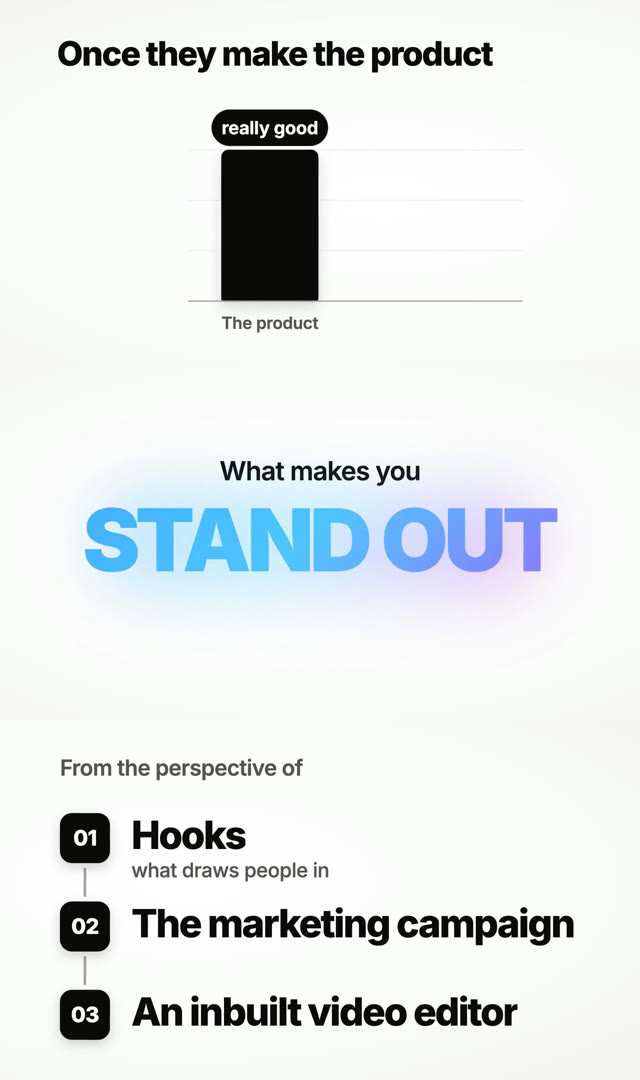
The three sentences that made it:
- "Turn this recording into a 16:9 explainer with no face on screen, only graphics."
- "Keep the clearest 20 to 30 seconds."
- "Make the graphics look expensive: kinetic titles on the key words, an animated chart, and a list that builds as I talk."
- AskEditor's free plan: 1080p exports with no watermark, made in your browser on a computer; graphics cost nothing, and 30 minutes of speech a month is read free (our prices).
- What it isn't: no 3D, no character animation, and you get a finished video file, not a project to open in another editor.
- Free, on your own computer: our 41 free Claude prompts for video editing (on GitHub) let Claude Code add animated captions, charts and number counters to a take, with nothing uploaded.
Sources: DaVinci Resolve, Cavalry, AskEditor in ChatGPT
Reels for a brand
For animated text and product graphics in your brand, use Canva; or VEED, CapCut or whichever editor you already pay for; or AskEditor for graphics on your own clips. Each has a catch on its free plan.
| Tool | Brand kit | The catch |
|---|---|---|
| Canva | Free: one brand kit, 3 colours; more on Pro ($144 a year) | Paid elements put a watermark on a free plan's export |
| VEED | Creator ($147 a year), limited; Pro for several brands | Free exports are watermarked, at 720p |
| CapCut | On its Teams plan only, by its pricing page | Its own pages disagree on what Free includes; Pro was $179.99 a year on 30 October |
| Jitter | On its Max plan | Free exports carry a watermark, at 720p |
| AskEditor (ours) | Every plan, Free included | Free makes the video on a computer; on a phone, Creator ($20 a month, or $12 billed yearly) |
- Already on VEED Pro or Canva Pro? Your brand kit is already there (VEED Pro holds several brands); start with what you pay for before adding a tool.
- Canva animates text, elements and whole pages, including along a motion path; Magic Animate is on its paid plans.
- On AskEditor: 14 title card looks and 20 of its 27 hooks (attention-grabbing openings) cost nothing; the other 7 cut you out from your background, for 10 credits each. Its brand kit holds your name, tagline, logo, colours and fonts. Graphics are chosen for what each line says: a number when you say a price, your product's picture beside you, a word picked out. On a phone you need Creator ($20 a month, or $12 billed yearly).
- Your next step: start with the brand kit you already have; compare every price.
Sources: Canva's prices, VEED's plans, CapCut Pro
After Effects: the standard
After Effects is $22.99 a month on a yearly plan ($275.88 a year), with a 7 day free trial; cancel the yearly plan early and Adobe charges half of what is left of the year (quit after one month and you owe about $126). It needs 16 GB of memory and a 4 GB graphics card.
- Why learn it anyway: it is the 2D industry standard, in Motion By Scott's words, with the most plugins, templates and tutorials.
- Students: Adobe sells Creative Cloud Pro, which includes After Effects, at a student price for the first year ($19.99 a month on 5 November, $15.99 in its Black Friday offer), then $39.99; there is no After Effects only student price.
- The free one that works like it: Maxon Autograph, free since April 2026 and for commercial use since May, needs a Maxon account and the same 16 GB.
- Cavalry, free with a Canva account since April 2026, is a 2D motion design tool; Canva's terms let it change that access, and Intel's built-in graphics must be from 2022 on.
- Is the free one really free? Maxon says Autograph is free for individuals since April and for teams since May, with "no output limitations, time restrictions, or conditions of any kind". It isn't a trial.
- Every alternative, side by side: our After Effects alternatives guide compares them for titles, fan edits and an ordinary laptop, with each one's price and catch.
Sources: After Effects' plans, Motion By Scott, Adobe's student price, Maxon Autograph, Cavalry
3D, characters, apps and websites
For 3D, Blender is free and does almost everything; Cinema 4D is the paid standard. For hand-drawn 2D characters, Krita is free. For apps, websites and social posts, Jitter works in a browser, and Rive and Lottie make files that play in code.
| Tool | What it makes | Free, or the price |
|---|---|---|
| Blender | 3D, and 2D with Grease Pencil | Free for any use |
| Cinema 4D | 3D motion design | About $839 a year |
| Krita | Hand-drawn 2D animation | Free and open source |
| Jitter | Animation for apps, sites and social posts, in a browser, as video, GIF or Lottie | Free: 720p at 30 fps, 3 files, with a watermark |
| Rive | Interactive animation for apps and games | Free with a splash screen; paid from $9 a month billed yearly (its pages disagree on whether Free exports video) |
| Lottie Creator | Lightweight animation for apps and the web | Free with limited exports; $19.99 a month billed yearly |
Sources: Blender, Cinema 4D, Rive's prices, LottieFiles' prices
Motion graphics software prices
Four of these are free with no time limit: Blender, DaVinci Resolve, Maxon Autograph and Cavalry (by Canva's word, which its terms let it change). The paid ones, from each maker's own page:
| Software | Price |
|---|---|
| After Effects | $22.99 a month on a yearly plan |
| Cinema 4D | About $839 a year |
| Apple Motion | $49.99 once, or in Apple Creator Studio with Final Cut Pro, $12.99 a month or $129 a year |
| Canva Pro | $144 a year |
| AskEditor Creator (ours) | $144 a year, or $20 a month |
Claude Motion, Anthropic's own, is only on Claude's Team and Enterprise plans; our Claude motion graphics guide has the plans and the other ways in.
Frequently Asked Questions
What is the best motion graphics software for beginners? Cavalry on a laptop from 2022 or later, Blender on an older one or on Linux, DaVinci Resolve with 32 GB on Windows or 16 GB on a Mac. All free. After Effects is the studio standard to move to; asking an AI, AskEditor included, makes the result without learning a tool.
Is there free motion graphics software? Yes: Blender, DaVinci Resolve (with Fusion), Maxon Autograph and Cavalry are free with no time limit today (Cavalry by Canva's word). Canva, VEED, CapCut and AskEditor have free plans with limits.
Is After Effects free? No. It has a 7 day free trial, then costs $22.99 a month on a yearly plan.
Can I make motion graphics on an 8 GB laptop? Yes: Cavalry if the laptop is from 2022 or later, Blender on an older one (with built-in graphics, 8 GB is just under its minimum on paper), Apple Motion on an 8 GB Mac, or a browser tool such as Jitter, Canva or AskEditor. After Effects and Autograph want 16 GB.
Is there open source motion graphics software? Yes. Blender is free and open source for any use, and so is Krita for hand-drawn 2D animation. Cavalry and Autograph are free, but not open source.
Is Maxon Autograph really free? Yes, by Maxon's own page: free for individuals since April 2026 and for teams since May, with no time limit. It needs a Maxon account and 16 GB of memory.
Does AI replace After Effects? Not for studio work: people still pay designers for taste, brands and changes. For quick titles, charts and simple explainers, AI now does it in minutes from a description.
What software do professionals use for motion graphics? After Effects for 2D, Cinema 4D or Blender for 3D, often with Illustrator and Photoshop for the designs.
Eben - AskEditor
Guides on making marketing video with AI, from the team building AskEditor.