Claude Video Editing: Every Way That Works, and What It Costs
November 17, 2026 · Eben - AskEditor · 21 min read
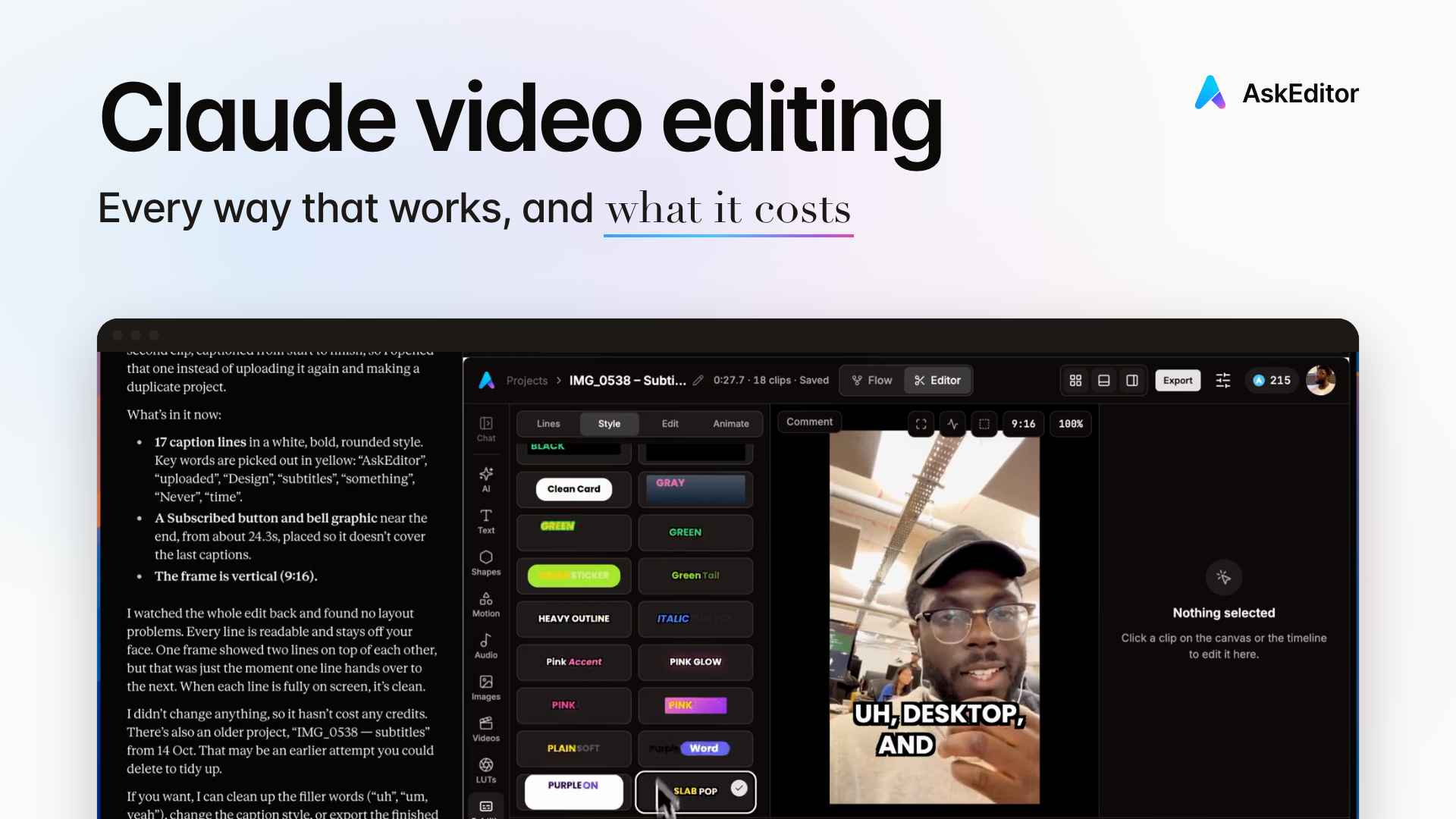
Claude video editing, honestly: Claude can't edit video on its own. Every way people do it, the Claude plan each needs, what you end with, and the free ways.
Table of contents
- 1. Start here: which way is yours
- 2. Can Claude edit video alone?
- 3. Six ways of Claude video editing
- 4. AskEditor: a timeline, not a file
- 5. 42 free Claude video editing skills
- 6. Claude in Premiere, Resolve, Final Cut
- 7. What one edit really costs
- 8. Where Claude's edits break
- 9. Where these answers come from
- 10. Frequently Asked Questions
Claude can edit your videos, but not on its own. Claude can't watch or cut a video by itself, even one you drop into the chat. So every way of Claude video editing gives Claude a tool that can: a connector to a video editor, Claude Code running editing software on your computer, or a plugin inside the editor you already use.
Which one suits you depends on your Claude plan, and on what you want to end up with: a finished video, or a timeline you can still change.
How we do it: AskEditor. Connect AskEditor to Claude, even on Claude's free plan, then say the edit in plain words.
Most ways of editing with Claude leave you a flat file. In AskEditor, every cut, caption and graphic lands as its own piece on a timeline, so you change any of it by hand or by asking, then export. Or, if you use Claude Code, run our 42 free edits on your own computer. Connect AskEditor to Claude.
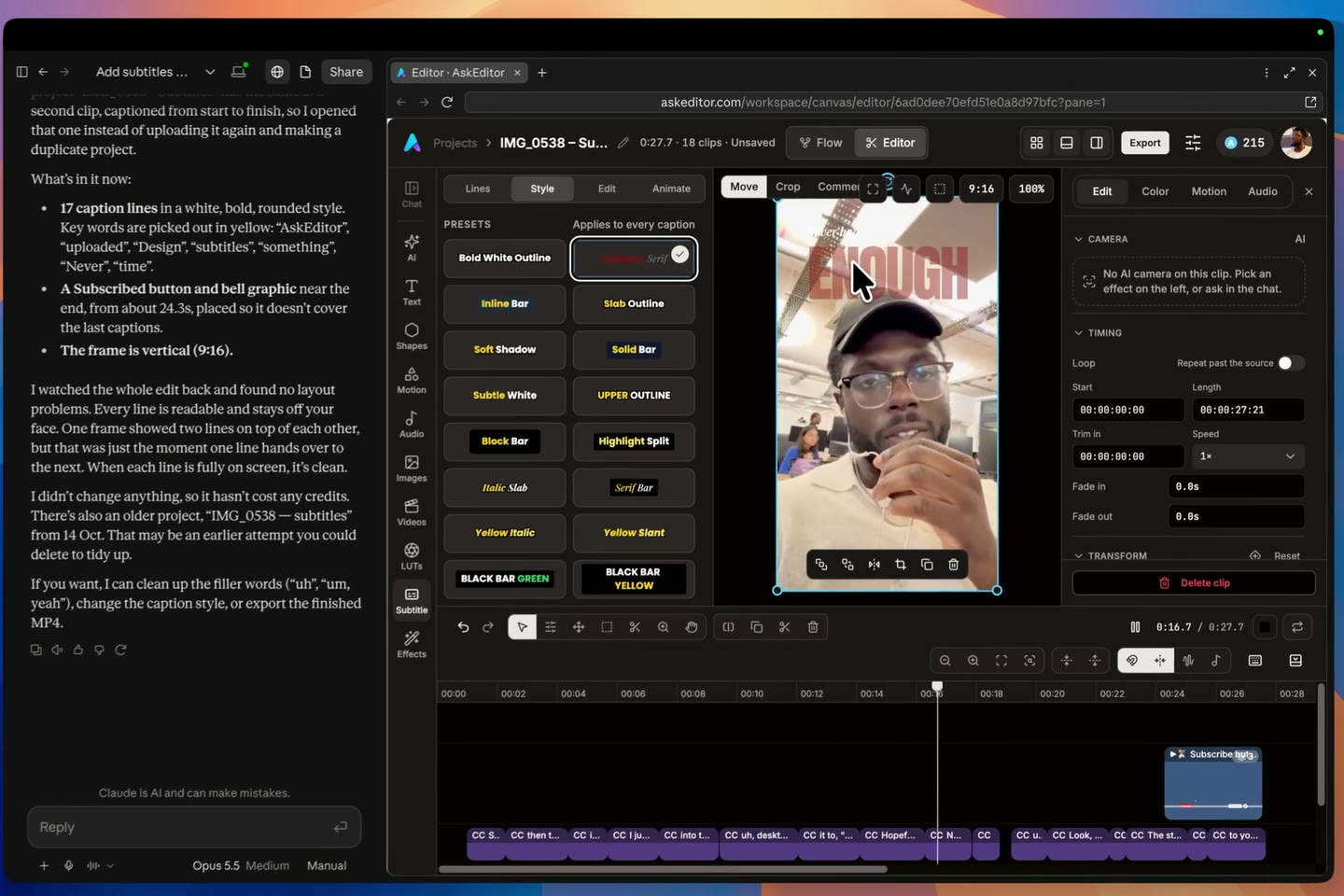
In Claude's desktop app: a video dropped into a new chat and one sentence ("add subtitles to this video with AskEditor"). Claude can't watch it, so it hands the video to AskEditor, which opens beside the chat with the subtitles on. Parts of the wait are sped up, and the film says where.
What we read for this, on 17 November 2026: 29 written guides, the 14 most watched YouTube videos on it and 2,792 of their comments, and Anthropic's own help pages.
Start here: which way is yours
Pick the line that sounds like you and jump straight to it.
- Any Claude plan, even the free one, and no terminal Connect AskEditor and ask in the chat. You get a timeline you can change, not a flat file, and a finished video.
- You use Claude Code and want it all on your computer Our 42 free edits: one paste, then say the edit.
- You edit in Premiere, DaVinci Resolve or Final Cut Pro What works inside each one today, and our Final Cut Pro beta.
- You edit in CapCut Our full guide to Claude and CapCut, with the free ways.
- You want an animation, not an edit of your footage Claude motion graphics, from a chart to a title.
Can Claude edit video alone?
No: Claude can't watch a video, so every route gives it a tool. Anthropic's list of files Claude reads has documents (PDF, Word, text, spreadsheets) and pictures (JPEG, PNG, GIF, WebP), and no video or audio format (Anthropic, upload files to Claude, read 17 November 2026). A GIF counts as one picture: only its first frame is read (Anthropic, vision).
Claude's code sandbox takes other files up to 30 MB, a short clip at most, and works on them with code rather than by watching (Anthropic, create and edit files).
So video editing with Claude always means giving Claude a tool. When a video says "Claude edited this", something else held the footage. A tool cut it, and it showed Claude what it needed in a form Claude reads: the transcript as text, and stills from the video as pictures.
Which way works on which Claude plan. The pages we read contradict each other on this, so here it is from Anthropic's own pages, read on 17 November 2026:
| Way in | Free plan | Pro and up |
|---|---|---|
| A connector you add yourself (AskEditor, Eddie AI, invideo) | Yes, one | Yes |
| A connector from Claude's directory (Descript, OpusClip, Riverside, Tella, Adobe) | Yes | Yes |
| Claude Code (skills, ffmpeg, editors on your computer) | No | Yes |
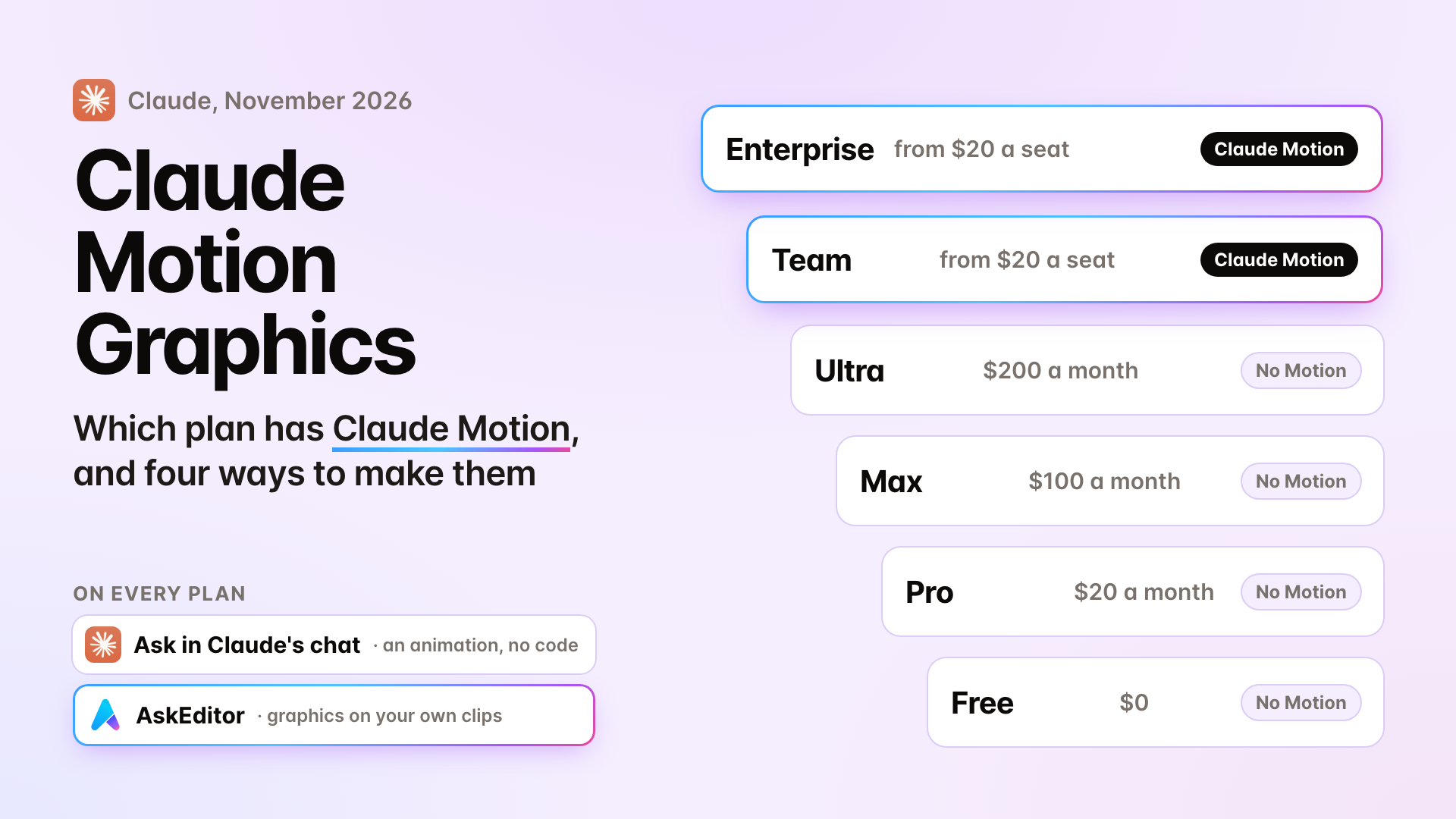
| Claude Motion (animation, no footage) | No | Team and Enterprise only, in beta |
Connectors work on the Claude website, in the desktop app, in Cowork and in the phone app, where adding one is in beta. Claude Code runs on your computer: in a terminal, in the desktop app or in a code editor.
Sources: custom connectors ("Free users are limited to one custom connector"), connectors, Claude Code, Claude Motion and Claude's plans. Claude's plans for one person are Free, Pro at $20 a month, Max at $100 and Ultra at $200; Team and Enterprise are for companies.
Six ways of Claude video editing
There are six routes, and they end in very different places: a document, a finished file, a project for another editor, or a timeline you can still change.
That last part matters more than the videos let on.
10 of the 14 most watched videos on Claude video editing end in a flat file: a finished MP4 with every cut, caption and graphic baked in. To change one word, you ask again and wait for a new render.
Only four hand you a timeline you can fix by hand, and 77 of the comments we sorted asked about exactly this.
1. Paste the transcript. You transcribe the video elsewhere, paste the words into Claude and ask what to cut. It works on any plan, and you get a document, not a video. Eddie AI calls this the trap: "a paper edit is a document" (Eddie AI, updated 16 November 2026).
2. Claude Code runs the edit. This is what most Claude Code video editing tutorials show. Claude Code writes and runs editing commands (usually ffmpeg) on the files on your computer, often through a ready-made skill: Kapwing's free /shorts-editor skill made "a finished 70-second video in about 40 minutes", about $9.92 at API prices (Kapwing, 4 November 2026).
Christian Peverelli's walkthrough (952,000 views by 17 November 2026) adds transcription, a code-based graphics tool and a screen-recording connector, and puts his cost at about $27 a video. Our own version is further down.

3. Claude writes your editor's project. Claude writes the project file your editor opens (CapCut's draft, Final Cut Pro's FCPXML, Premiere or Resolve XML), and you finish there. ButterCut does this for Final Cut, Premiere and Resolve (GitHub), and it's how Matt Loui's CapCut film, the most watched on editing footage with Claude (987,000 views), works: our CapCut guide goes through every one.
4. A connector to an online editor. You connect Claude to an editor on the web, and Claude drives it while your footage sits there. Descript, OpusClip, Riverside and Tella are in Claude's directory; AskEditor, Eddie AI and invideo are added by address.
What you end with differs a lot: Eddie hands you a timeline to finish in Premiere, Resolve or Final Cut, OpusClip makes clips, and AskEditor exports the finished video.
5. A plugin inside your editor. A bridge lets Claude act on the timeline you already have open. There are paid plugins for Premiere (PremiereCopilot, AutoEdit), a community server for DaVinci Resolve, and our Final Cut Pro beta. More below.
6. Claude Motion. Anthropic's own animation feature turns text, data or pictures into a short animation you export as an MP4. It "doesn't create realistic footage or people", it doesn't edit your footage, and it's on Team and Enterprise plans, in beta (Anthropic, updated 8 October 2026). More on what Claude can draw in Claude motion graphics.
AskEditor: a timeline, not a file
Connect it once and ask in plain words: Claude's edit lands on a timeline, every cut, caption and graphic its own piece, never baked into a flat file. It works on Claude's free plan as the one custom connector that plan allows, on any computer with a browser, with no terminal and no config file.
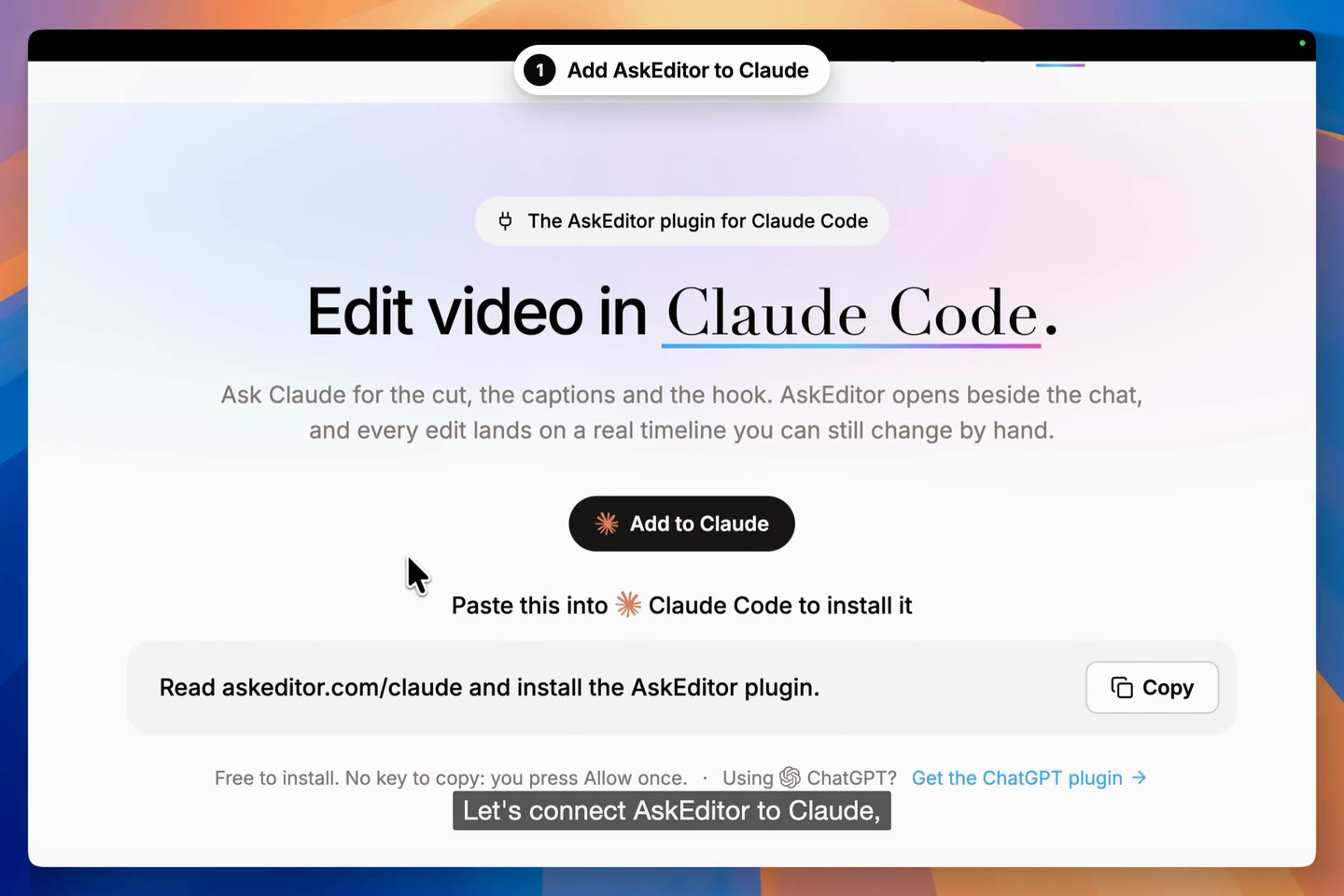
Connecting AskEditor to Claude, start to finish, in Claude's desktop app.
How to edit video with Claude in AskEditor, step by step (connecting takes about a minute):
- On askeditor.com/claude-code-plugin, press Add to Claude.
- Claude opens its Add custom connector box with AskEditor already filled in: press Continue, then Add, then Connect.
- On AskEditor's page, sign in if it asks, then press Allow.
- Drop a short video into the chat, or add a longer one in AskEditor's editor, and say the edit.
- Watch it land on the timeline, fix anything by hand or by asking, then export.
In Claude Code, paste one line instead: Read askeditor.com/claude and install the AskEditor plugin. The page is named for Claude Code because it installs there too; the Add to Claude button is for Claude's ordinary app.
Then say the edit the way you'd say it to an editor. One raw take of mine, edited by Claude in AskEditor:
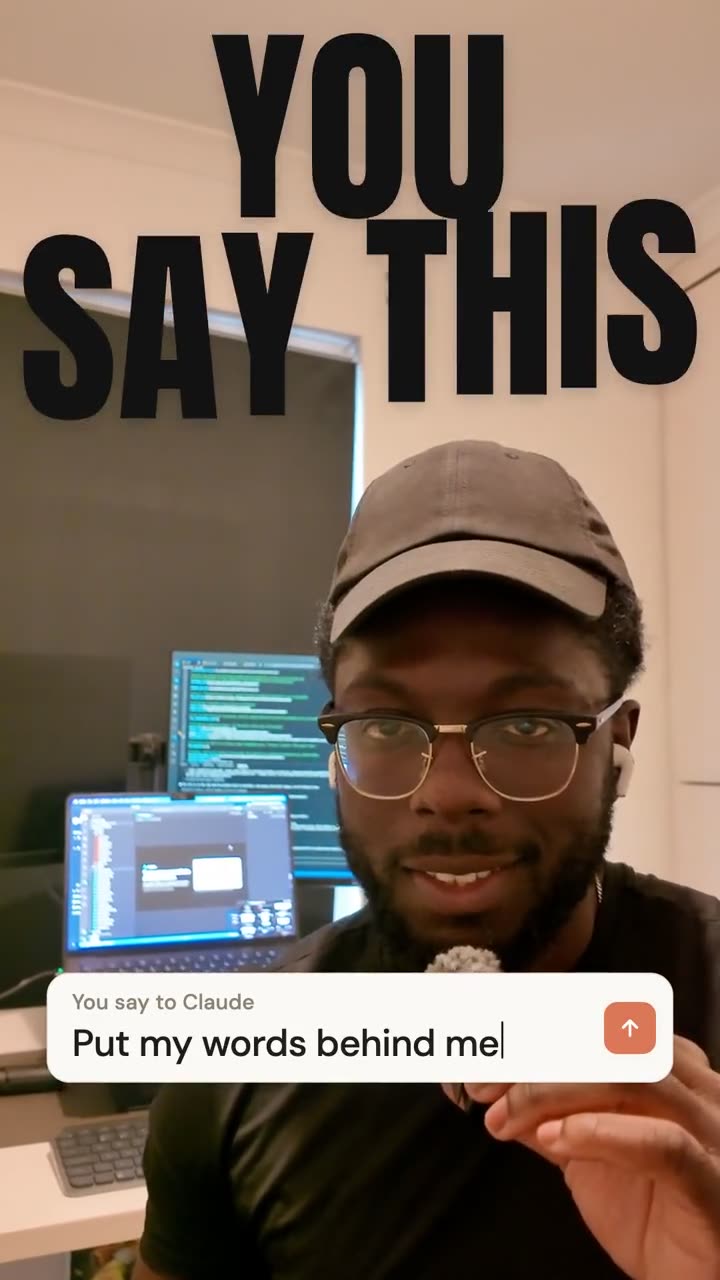
The retakes cut, captions and six looks (a word behind me, neon, a title card and three more), one request each, in 19 minutes with nobody touching the timeline.
Here is that edit on the timeline, landing piece by piece: the cuts, the captions and each graphic on its own track, then the raw take and the finished edit side by side.
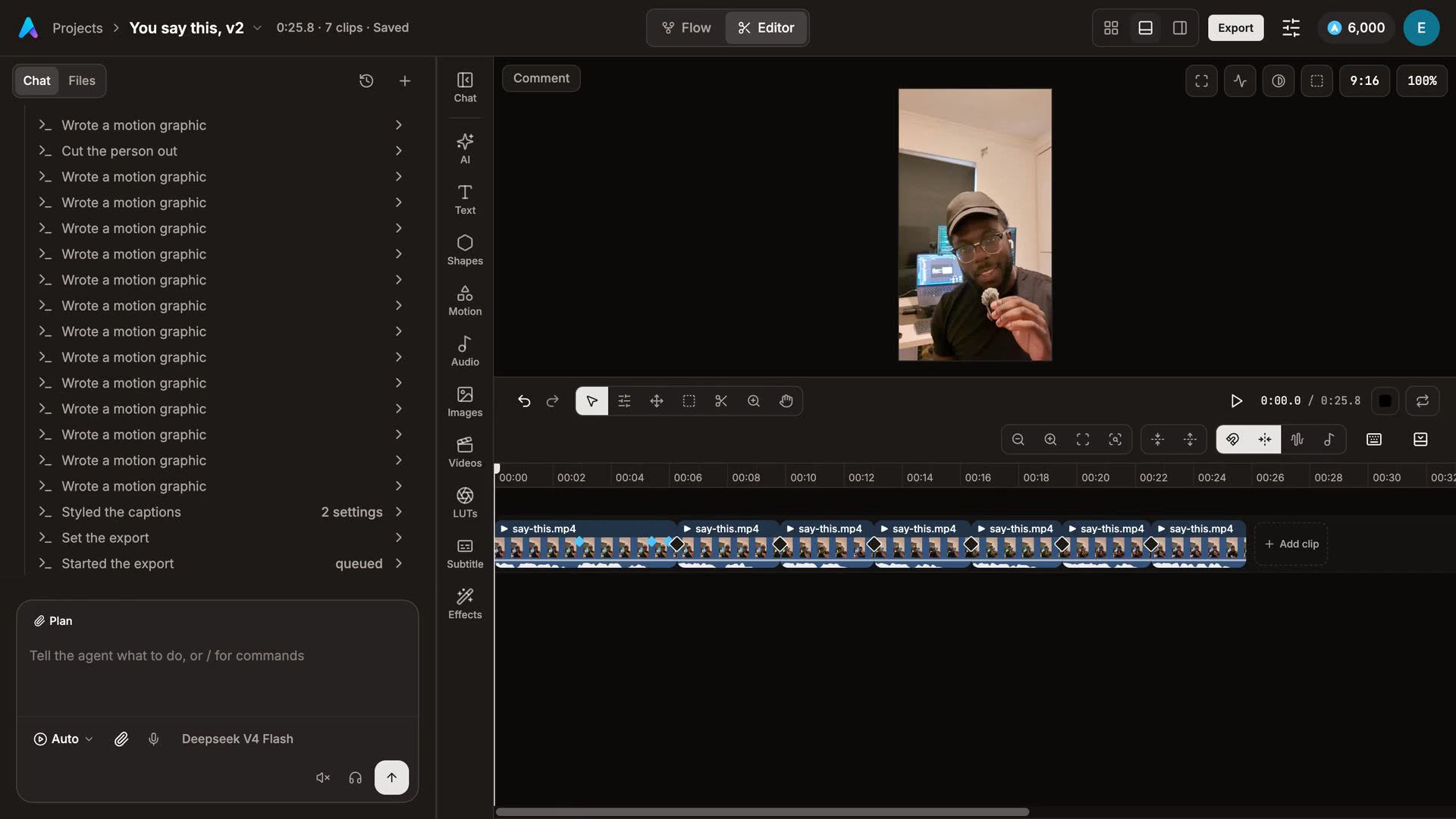
Why that matters: a flat file is finished, and a timeline is still yours.
| You want to | With a flat file | In AskEditor |
|---|---|---|
| Fix one word in a caption | Ask again, wait for a new render | Tap the line and type |
| Move a cut half a second | Ask again, or cut the MP4 again in another editor | Drag it on the timeline |
| Change one graphic | Render the whole video again | Change that one piece, by hand or by asking |
| Keep your own fixes | The next render starts from Claude's version | Claude's next change builds on yours |
Before it says it's done, Claude looks at stills from the edit, the way it reads any picture.
- Where you watch: in Claude's desktop app the editor opens beside the chat; on the Claude website it opens in your browser and updates as Claude works.
- Shot on an iPhone? A take from a phone is usually bigger than the 30 MB a file can be in Claude's chat, so put it on your computer (AirDrop works on a Mac), add it in AskEditor's editor, and tell Claude which video to edit.
- What it costs: the plugin is free, and the thinking runs on your own Claude plan. On AskEditor's Free plan, cuts, captions and the graphics Claude draws on the timeline cost nothing, and exports are unlimited at 1080p with no watermark. What it generates new (video, voices, music, cutting you out of the background) costs credits, and Claude asks before it spends. Your first such job is free; after that, credits come with a paid plan, from $20 a month or $12 a month billed yearly, with 1,200 credits a month (pricing, 17 November 2026).
- Using ChatGPT? AskEditor works in ChatGPT's desktop app too, and our Can ChatGPT make videos? guide covers that side.
- What it's best at: talking videos, Reels and Shorts, captions, hooks, title cards and graphics on your own footage. Our CapCut guide shows more of them, each made from one sentence.
42 free Claude video editing skills
Our free video editing skills for Claude Code run on your own computer: paste one line, drop in your video and say the edit. They need ffmpeg and Python, and tell you exactly how to get either if one is missing. Your video never leaves your computer, there's nothing to pay beyond the Claude plan Claude Code needs, and the code is open on GitHub under the MIT licence.
Open Claude Code (the desktop app or a terminal), paste this and drop your video in after it:
Install the free video editing skills from github.com/AskEditor/ai-video-editing-skills into ~/.claude/skills/video-editing, then clean cut my video:

The prompts that work are the ones you'd say to an editor, with the timing in plain words. Claude finds the exact second from the transcript:
| You say | You get |
|---|---|
| "cut the pauses and retakes" | the dead air and false starts gone, captions on |
| "put a giant word behind me when I say city" | the word behind your head, landing as you say it |
| "turn the lights down, with my name in neon" | the room goes dark and you stay lit |
| "cut my b-roll in when I mention each place" | your own footage on the words that name it |
| "add a tier list as I rank these" | each card drops into its row as you rank it |
| "lay my song under this" | the music dips while you talk and ends with the video |




For a product demo or a founder video, the same works with "put my screen recording above me", "add a chart", "add chapters" or "add a headline".

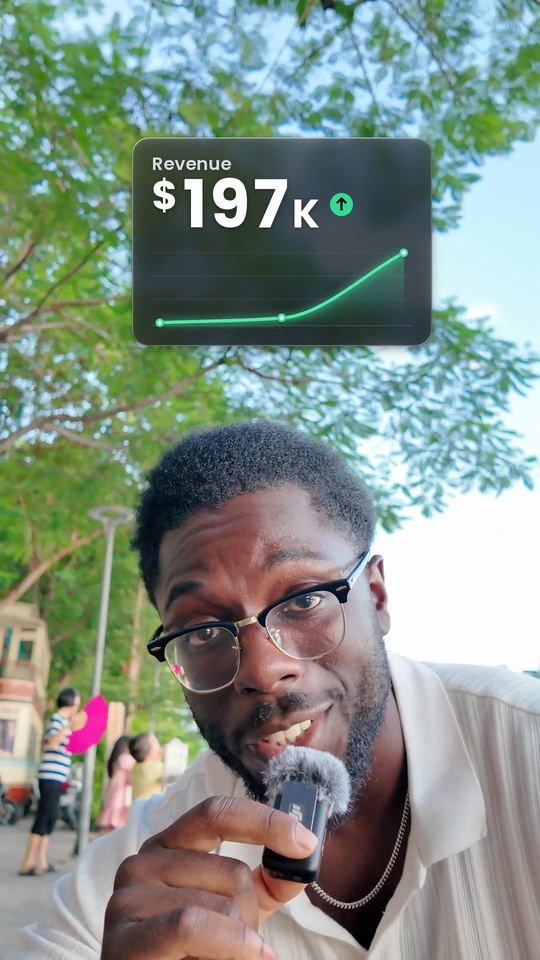
All 42, each with its film and the sentences that start it: askeditor.com/skills.
- What it needs: Claude Code, so Claude Pro or above; ffmpeg; Python 3.10 to 3.12. The first edit sets itself up in its own folder in a few minutes, with about 600 MB of free tools and models, among them a speech model that runs on your computer. If you'd rather,
git clonethe repository into~/.claude/skills/video-editingyourself. - Where it runs: tested on a Mac. Linux and Windows are untested so far. It also works in Codex, ChatGPT's coding agent.
- What you end with: a flat MP4 on your computer. To change one cut, you ask again; there is no timeline to drag. If you want one, use AskEditor.
Claude in Premiere, Resolve, Final Cut
Claude can't drive these editors by itself; there are bridges for each, and they differ a lot in how far they reach.
Premiere Pro. Four ways in, and none is Adobe's own timeline control yet:
- Adobe's connector covers Photoshop, Premiere and Express on free and paid Claude plans. Adobe describes it making quick cuts of clips you upload and resizing them for different platforms, not editing the project you have open in Premiere (Adobe for Claude, last updated 24 September 2026).
- A plugin inside Premiere, such as PremiereCopilot, from $7.99 a month by its own page (PremiereCopilot, 8 June 2026), or AutoEdit. Check each one's own page for Windows support.
- A timeline made elsewhere: Eddie AI cuts in its own web editor (so Windows works) and exports a Premiere project or XML. Its own walkthrough starts from three interviews, 1 hour 4 minutes in all, and its prices run from $10 to $350 by its own page (Eddie AI); ButterCut writes Premiere XML from Claude Code, built for Apple Silicon Macs (ButterCut).
- Claude Code builds the timeline: Rourke's video ends in an editable Premiere timeline from one iPhone take, though it doesn't show how it gets into Premiere.
Final Cut Pro: AskEditor for Final Cut Pro, in beta. Install it on your Mac and Claude edits the project you have open in Final Cut Pro: pauses closed, captions in your style, lower thirds and a vertical version, landing as Final Cut Pro's own clips for you to finish. It's tested on Final Cut Pro 12.4 (AskEditor for Final Cut Pro, beta, 17 November 2026).
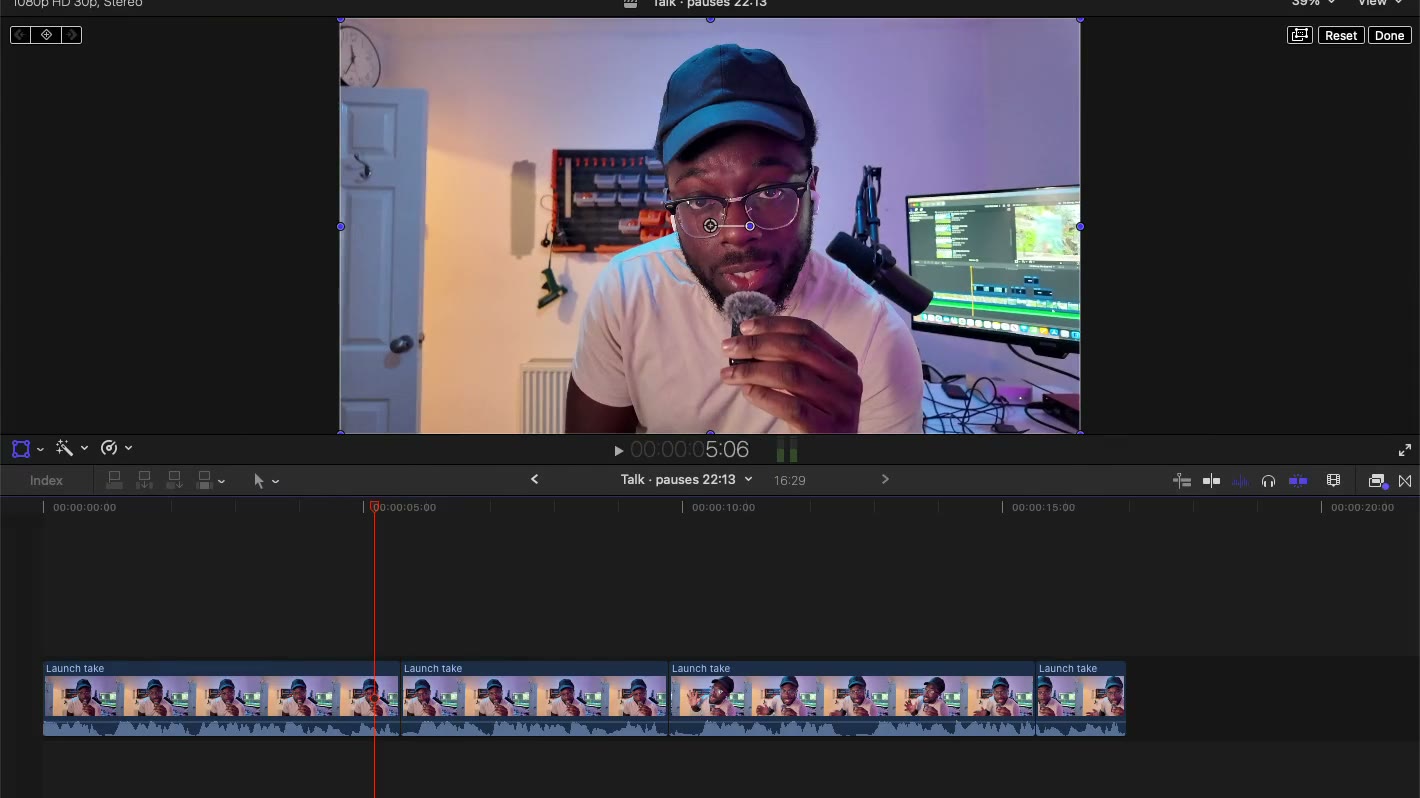
A talking take on Final Cut Pro's own timeline: Claude cuts three pauses and the timeline ripples shorter, then it plays. The wait is cut out.
The other Final Cut routes write an FCPXML file you import (ButterCut) or have Claude Code drive the app through community tools. Our Claude and Final Cut Pro guide compares every one, with what each touches on your Mac.
DaVinci Resolve. A community server lets Claude drive Resolve through its scripting tools, for first-pass assemblies: its own page says it does not judge cut quality (davinci-resolve-mcp). Outside scripting needs Resolve Studio; the free edition goes through a bridge inside the app.
CapCut. There is no official connection; Claude writes CapCut's project file or makes graphics you import. Our CapCut guide covers every method, and AskEditor for CapCut is being built.
What one edit really costs
Claude's plan is one part of the bill; the tool behind it decides the rest.
It's the question asked most under the videos: 418 of the 2,792 comments we sorted were about the plan, the limits or the cost, and the creators themselves say anything from Claude's free plan to Ultra at $200 a month. Here is one edit, by route, from each tool's own page or the creator's own video, on the day we read it:
| Route | Claude plan | The tool's own cost |
|---|---|---|
| Paste the transcript | Free works | None, but you cut it yourself |
| Kapwing's free skill in Claude Code (4 Nov) | Pro, $20 a month | A 70-second Short used about $9.92 of Claude at API prices; on Pro it comes out of your plan's usage |
| Christian Peverelli's setup (4 Oct) | Pro and up (Claude Code) | About $27 a video, by his count, tokens and his other tools included |
| Matt Loui's CapCut method (9 Oct) | Pro, as his later video says | Pictures and voice from Higgsfield: a 3-minute video used about $9.50 of the credits on its $39-a-month plan |
| Our free skills | Pro, $20 a month | Nothing beyond your plan's usage |
| Eddie AI (16 Nov) | Free works | 250 credits an hour of footage imported; 500 free credits to start |
| OpusClip (27 Oct) | Free works | Connecting is free; running a job needs a paid OpusClip plan |
| AskEditor (17 Nov) | Free works | Nothing for cuts, captions and drawn graphics; credits for what it generates, the first such job free |
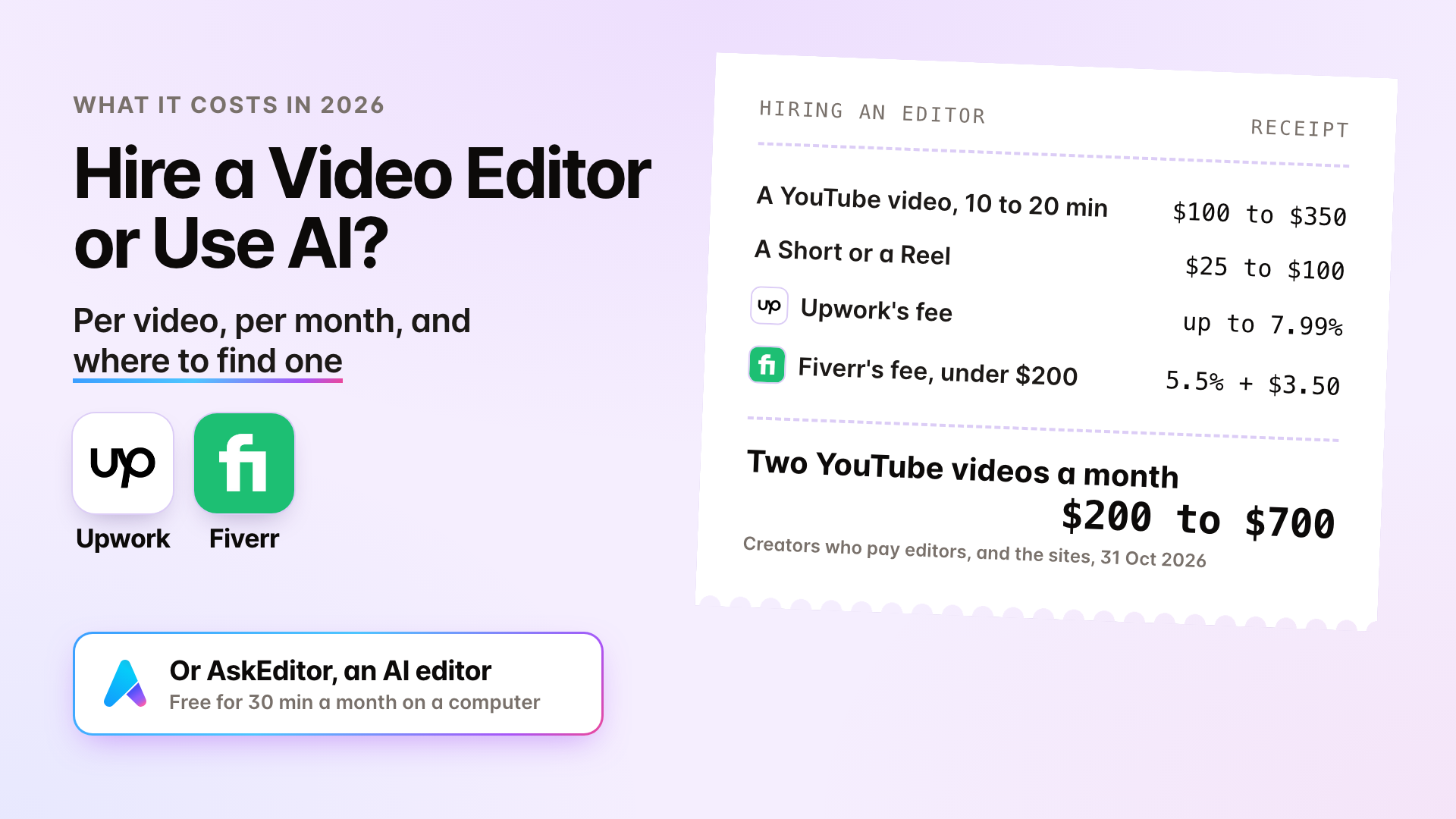
On Claude's free plan you can add one of these connectors at a time. Every route also spends your Claude plan's own usage, which has limits on every plan (Claude's plans). Weighing it against a person? Our hire a video editor or use AI guide has editors' prices.
Where Claude's edits break
Claude cuts by the words, not by feel, so plan to watch the edit once and give notes. Every honest test we read found the same weak spots:
- It breaks sentences. A former editor's test at Selects found "All 11 cuts broke a sentence" when Claude cut from a transcript, with clips starting on "And", "Well" or "So" (Selects, 1 November 2026).
- It trades the best line for the length. ChatCut's own test cut a 40.8-second clip to 30.4 seconds in under five minutes, and dropped "the best part" to hit 30 seconds. It also showed soft zooms and captions split mid-phrase (ChatCut, 15 November 2026).
- It can't watch like you do. Claude sees stills and the transcript, not motion, so a jump cut that feels wrong can look fine to it.
- It can't reach your files from the website. Routes that write files on your computer need Claude's desktop app or Claude Code. On the Claude website, Claude works in its own sandbox and says it can't, which is the setup error commenters paste most.
- Good takes time. In Ali Abdaal's day-long test of three routes (two code-based graphics tools and a DaVinci Resolve server), Claude's motion graphics reached "about 97%" of his human editors, but cutting the raw footage was where it struggled, and the day took "about 6 hours from start to finish".

The review-notes edit from our free skills: a quick preview, then your notes in plain words, then the fixed render.
The fix is the same as with a human assistant editor: notes. Say what's wrong in plain words ("at 4 seconds the caption covers my chin", "keep the line about the price"), or move the cut by hand on the timeline and let Claude carry on from there. The review-notes edit above takes them even as a voice memo.
Where these answers come from
We read what is out there before writing a word, on 17 November 2026:
- Google's results and AI Overviews for "claude video editing" and "can claude edit videos", and the questions people ask under them.
- 29 written guides from Eddie AI, ChatCut, OpusClip, Kapwing, invideo, Selects, Tella, Descript and others, each read in full and linked where we use it.
- The 63 YouTube videos that six searches return, 9.8 million views between them, 44 of them uploaded since October. We read the captions of the 14 most watched and sorted 2,792 of their top comments by what people asked: the plan and the cost came first (418), then which editor (187), their own footage (164) and setting it up (154).
- Anthropic's own help pages and pricing for every claim about what Claude can do.

The creators whose videos taught us most: Christian Peverelli for Claude Code end to end, Matt Loui for CapCut, Ali Abdaal for an honest test of three routes, Jason Cooperson for DaVinci Resolve, Rourke for a Premiere timeline and Matt Wolfe for the desktop app.
The films on this page were made in AskEditor and with our free skills, on my own footage.
Frequently Asked Questions
Can Claude edit videos?
Yes, with a tool, not on its own. Claude can't watch or cut a video by itself, so you give Claude a way to reach your footage: a connector to a video editor such as AskEditor, Claude Code running editing software on your computer, or a plugin inside Premiere, Resolve or Final Cut Pro.
Can I upload a video to Claude?
You can drop one into the chat, but Claude can't watch it. Anthropic lists documents and pictures as what Claude reads; a video sits in Claude's sandbox, 30 MB at most, until a connected editor or code works on it. With Claude Code, the video stays on your computer.
Can Claude watch my video?
Not as you do. A connected editor or a skill shows Claude the transcript and stills taken from the video, and Claude reads those. That is enough to cut by what's said and to check a caption isn't over your face, but not to feel the pacing.
Is Claude free for video editing?
Partly. Claude's free plan can use one connector you add yourself, such as AskEditor, and the connectors in Claude's directory. Claude Code, which the skills and most YouTube methods need, starts with Claude Pro at $20 a month.
Do I need Claude Code to edit videos with Claude?
No. Claude Code is one route, for editing on your own computer. With a connector such as AskEditor you edit from Claude's ordinary chat on the website or the desktop app, with no terminal.
Is there a Claude video editor or connector?
Anthropic doesn't make one. Claude's connector directory lists video tools from Descript, OpusClip, Riverside, Tella and Adobe, and you can add others by address, such as AskEditor or Eddie AI.
Can Claude export the finished video?
Through the right tool, yes. AskEditor exports the finished video, and the free skills save an MP4 on your computer. Routes that write a project file for CapCut, Premiere or Final Cut leave the export to you in that app.
Can I change Claude's edit by hand afterwards?
It depends on the route. Most end in a flat MP4: to change one word, you ask again and render again. AskEditor keeps every cut, caption and graphic as its own piece on a timeline, so you change it by hand or by asking, and Claude carries on from your change.
What are the best Claude video editing prompts?
The ones you'd say to an editor, with the timing in plain words: "cut the pauses and retakes", "put a giant word behind me when I say city", "cut my b-roll in when I mention each place". Claude finds the exact second from the transcript. Ask for one change at a time and watch it before the next.
Can Claude edit in Premiere Pro, DaVinci Resolve or Final Cut Pro?
Through bridges. AskEditor for Final Cut Pro, in beta, edits the project you have open in Final Cut Pro. Community servers let Claude drive DaVinci Resolve, and plugins put Claude inside Premiere. Adobe's own connector makes quick cuts of uploaded clips rather than editing your Premiere project.
Can I edit videos with Claude on my phone?
Partly. Connectors you have added work in Claude's phone app, and adding one on a phone is in beta, according to Anthropic. Claude Code and the free skills need a computer.
Is Claude or ChatGPT better for video editing?
Neither edits video on its own, and the same kinds of connectors work in both. AskEditor works in Claude and in ChatGPT, and the free skills run in Claude Code and in Codex.
Does my footage go to Anthropic?
With the free skills, no: the video never leaves your computer, and only the transcript and the stills Claude reads go to Claude. With a connector, the video lives in that editor, and Claude reads what the editor shows it; a video you drop into Claude's chat passes through Claude's sandbox on the way.
Eben - AskEditor
Guides on making marketing video with AI, from the team building AskEditor.
Related posts
Video Editing
Claude and Final Cut Pro: Every Way It Works in 2026
November 17, 2026 · 20 min read
Video Editing
Hire a Video Editor or Use AI? What It Costs in 2026
November 6, 2026 · 13 min read
Video Editing
Claude Motion Graphics in 2026: Which Plan, and Four Ways to Make Them
November 5, 2026 · 14 min read